Running an online business means dealing with payments every day. If you’re using PayPal, you’ve probably wondered about the PayPal withdrawal limit. Don’t worry – you’re not alone. These are two of the biggest concerns for online sellers, and understanding them can save you time, money, and a lot of stress.
This guide breaks down everything you need to know about PayPal’s withdrawal limits and how to handle unauthorized transactions. We’ll keep it simple and practical, so you can focus on growing your business instead of worrying about payment issues.
Understanding All Kinds of PayPal Withdrawal Limits
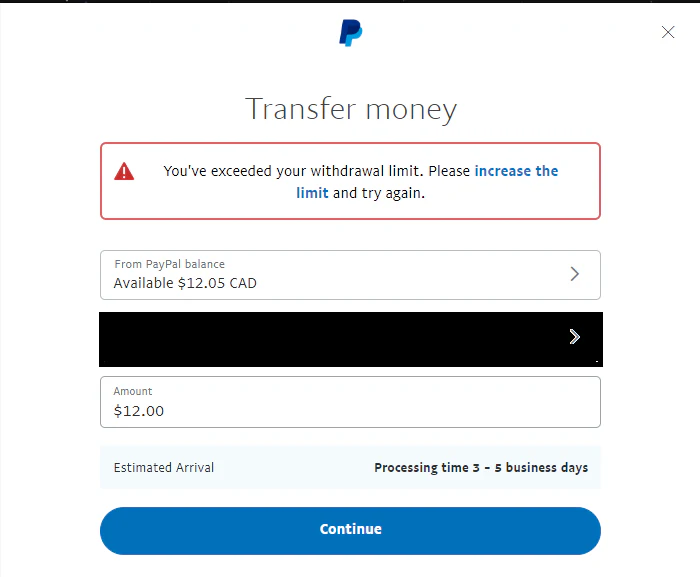
When you run an online business, cash flow matters – and knowing how PayPal withdrawal limits work can save you from unexpected delays. These limits act like financial speed bumps, helping protect both you and PayPal from fraud. If someone gets into your account, limits prevent them from draining everything at once.
What Exactly Are PayPal Withdrawal Limits?
- PayPal caps how much money you can transfer to your bank or card within certain timeframes.
- Limits vary depending on:
- Whether your account is verified
- Which withdrawal method you use
These rules help PayPal meet financial regulations and prevent unauthorized access.
What Are The Limits Of New vs. Verified Accounts?
Unverified Accounts
- Withdrawal limit: around $500 total
- Maximum send amount: $4,000 per transaction
- Tight limits exist to encourage verification and prevent fraud
Verified Accounts
- Withdrawal limit per transaction: up to $60,000
- Sometimes capped at $10,000, depending on country regulations
- No overall cap on total withdrawals over time
Once verified, your financial flow becomes much smoother.
What is the Daily Withdrawal Limit on PayPal?

It depends on how you withdraw. Bank withdrawals usually allow up to $10,000 per day, while ATM withdrawals with the PayPal Debit Card are much lower, around $400–$500 per day.
What is the PayPal ATM Limit?
If you use a PayPal Debit Mastercard at an ATM, the daily limit is typically around $400. This can vary by country, ATM operator, and your account status.
What is the PayPal ATM Withdrawal Limit?
Most users can only withdraw $400 per day from ATMs, no matter how much money is in their PayPal balance.
What is the PayPal Daily Withdrawal Limit?
Bank transfers usually allow up to $10,000 per day, while ATM withdrawals through the PayPal Debit Card are capped at roughly $400 per day.
What is the PayPal Debit Card Withdrawal Limit?
Using the PayPal Debit Card at ATMs, you can withdraw $400 per day. For purchases, the card lets you spend up to $3,000 per day.
What is the PayPal Debit Withdrawal Limit?
With the PayPal Debit Card, ATM withdrawals are limited to $400 per day, while daily spending can go up to $3,000.
What is the Withdrawal Limit on PayPal?
Bank withdrawals usually allow up to $10,000 per transaction for verified users. Unverified accounts may be limited to around $500 total per month until verification.
Different Ways to Make PayPal Withdraw (and Their Limits)
PayPal withdrawal limits also depend on the method you choose:
Standard Bank Transfers
- Up to $25,000 per transaction
- Arrives in 1–3 business days
- Best for most sellers
Instant Bank Transfers
- Also up to $25,000 per transaction
- Arrives within minutes
Debit Card Withdrawals
- Max $5,000 per transaction
- Daily limit: $5,000
- Weekly limit: $5,000
- Monthly cap: $15,000
- These limits cannot be increased, even with a verified account
Regular Limits vs. Account Limitations
It’s important to distinguish between normal withdrawal limits and PayPal account limitations:
Regular Withdrawal Limits
- Part of PayPal’s standard system
- Can be lifted by verifying your identity
Account Limitations
- Triggered when PayPal detects unusual or risky activity
- You may be blocked from sending, receiving, or withdrawing money
- Must submit info/documents to resolve
You can avoid most limitations by keeping clean records, responding to disputes quickly, and following PayPal’s policies. Here’s a quick reference table you can save for easy access and future reminders:
| Category |
Verified Account |
Unverified Account |
Bank Withdrawal |
Instant Transfer |
Debit Card Withdrawal (ATM) |
Debit Card Spending |
Notes |
| Daily Limit |
~$10,000/day (via bank) |
~$500 total/month |
~$10,000/day |
~$10,000/day |
~$400–$500/day |
Up to $3,000/day |
Daily ATM limit is fixed regardless of balance |
| Per Transaction Limit |
Up to $60,000 (often $10,000 depending on country) |
$4,000 send cap |
Up to $25,000 |
Up to $25,000 |
$400/day |
N/A |
High-value transfers require verification |
| Monthly Limit |
No strict cap |
~$500 total |
No strict cap |
No strict cap |
$15,000/month |
N/A |
Debit card limits cannot be increased |
| Withdrawal Speed |
Normal |
Normal |
1–3 business days |
Minutes |
Instant cash-out |
N/A |
Bank transfer is best for large amounts |
| PayPal → PayPal Send Limit |
Up to $60,000 per transaction |
~$500/month |
— |
— |
— |
— |
Some countries cap at ~$10,000 |
| Restrictions |
Few |
Many |
Depends on verification |
Depends on card/bank eligibility |
$400 fixed ATM limit |
$3,000 spending/day |
ATM operators may charge extra fees |
| What Triggers Account Limitations |
Suspicious activity |
Very common until verified |
Frozen withdrawals |
Frozen withdrawals |
Frozen withdrawals |
Frozen spending |
Must submit docs to remove limitations |
How to Remove Your PayPal Withdrawal Limits

Getting rid of PayPal’s withdrawal limits is straightforward. Follow these steps to verify your account and unlock full access to your funds:
- Step 1: Log In and Find Your Limits
- Sign in to your PayPal account.
- Navigate to the “Settings” or “Account Summary” page.
- Click on “View Limits” to see your current withdrawal and transfer restrictions.
- Step 2: Start the Verification Process
- Click the “Lift Limits” link next to your withdrawal information.
- Follow the on-screen instructions to begin account verification.
- Step 3: Link Your Bank Account
- Enter your bank’s routing number and your account number.
- PayPal will send two small deposits (a few cents each) to your bank account for confirmation.
- Step 4: Confirm the Deposits
- Wait 1–2 business days, then check your bank account for the PayPal test deposits.
- Return to PayPal and input the exact deposit amounts to verify your account ownership.
- Step 5: Wait for Approval
- After confirming the deposits, PayPal will process your verification.
- Approval typically takes a few business days. Once verified, your monthly withdrawal limit will be lifted.
By completing these steps, you’ll ensure uninterrupted access to your PayPal balance-essential for running and scaling your e-commerce business smoothly.
What Counts as Unauthorized?
An unauthorized transaction is any payment you didn’t approve or make yourself. This usually means one of two things happened:
- Someone hacked your PayPal account and sent money without your permission
- Or, a buyer claims they didn’t authorize a payment to you (maybe their account was compromised)
These situations are serious because they often involve fraud or security breaches. They can happen when criminals steal login credentials, hack email accounts, or trick people with fake PayPal websites.
So, how does it affect buyers vs. sellers?
- For buyers, unauthorized transactions are scary. It means someone accessed their account and stole their money. They need to act fast to report it and get their funds back.
- For sellers, it’s frustrating in a different way. You might have already shipped a product, only to find out the payment is being disputed because the buyer’s account was hacked. This could mean losing both your product and the payment.
How To Handle Unauthorized Claims?
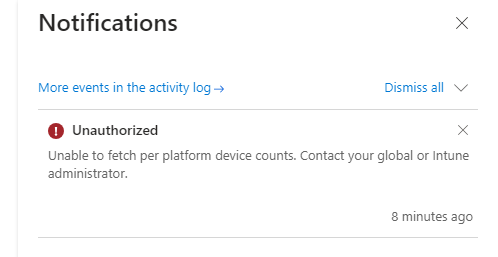
If a buyer claims a transaction was unauthorized, stay calm. If you’ve followed best practices, PayPal’s Seller Protection can work in your favor. Here’s what to do:
- Check Your Seller Protection Status
- Go to the transaction details in your PayPal account.
- Confirm whether the payment is eligible for Seller Protection (e.g., tangible goods shipped to the buyer’s address listed on the PayPal order).
- Gather Your Evidence
- Collect all relevant shipping and delivery documentation.
- Include tracking numbers, delivery confirmations, and especially signature proof for high-value items.
- Ensure the shipment was sent to the exact address PayPal provided.
- Respond Quickly
- Log into the Resolution Center and submit your evidence before the response deadline (usually a few days).
- Clearly present all documents, focusing on proof of shipment and delivery.
- Let PayPal Decide
- If you’ve met all of PayPal’s Seller Protection conditions, they’ll typically rule in your favor.
- PayPal will reimburse the buyer from their own funds, and you’ll keep the payment with no chargeback fee.
To maximize your protection, always follow the Seller Protection Requirements:
- Ship to the exact address PayPal provides (never to a different address)
- Get tracking and delivery confirmation
- Keep all shipping receipts and documentation
- Respond to disputes quickly
- Only sell permitted items
How SyncTrack Helps When Dealing with PayPal Issues
When sellers face PayPal withdrawal limits or unauthorized transactions, the core problem is often the same: PayPal can’t clearly verify order fulfillment across different stores and sales channels.
SyncTrack PayPal Tracking Sync is a PayPal technical partner that helps sellers automatically sync accurate order tracking information to PayPal. By keeping PayPal updated with fulfillment data, SyncTrack helps speed up fund release and reduce disputes, payment holds, and reserves.
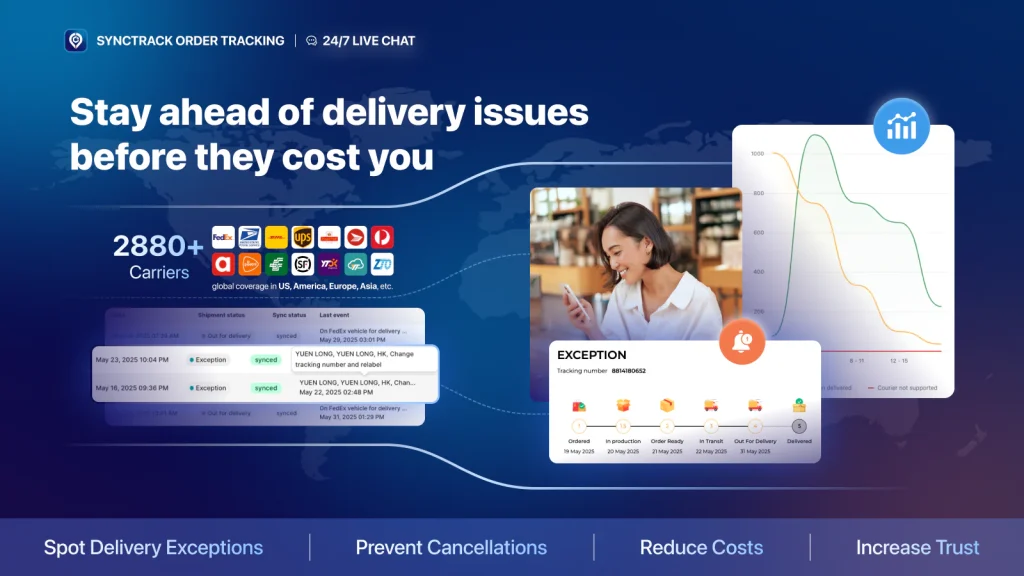
SyncTrack supports sellers across Shopify, Wix, WooCommerce, and Facebook & Instagram sales channels, allowing tracking data to stay consistent even when selling on multiple platforms.
With SyncTrack, sellers can:
- Automatically sync tracking to PayPal (and Stripe) to help PayPal review orders faster
- Provide clearer evidence during disputes by matching PayPal transactions with real orders and delivery status
- Reduce dispute risk through free store reviews based on PayPal standards
- Sync different order types, including physical, digital, and store pickup orders
- Manage multiple stores in one place with a single subscription
This added visibility makes it easier to respond to PayPal reviews, submit accurate evidence for unauthorized claims, and stay organized when withdrawal limits or security checks occur.
PayPal Withdrawal Limits FAQs
What is the maximum withdrawal from PayPal?
- Standard bank transfer: usually 10,000–25,000 USD per transaction for verified accounts (varies by country).
- Instant transfer to debit card: typically 5,000 USD per transaction, with daily and monthly caps.
- ATM using PayPal Debit Card: about 400 USD/day.
Tip: For exact limits, check Settings → Account limits in your PayPal account.
How to withdraw 5,000 USD from PayPal?
Here is how to withdraw 5,000 USD from PayPal:
- If your limit allows, make one bank transfer of 5,000 USD.
- If your instant-transfer limit is 5,000 USD, you can send it in one instant transfer (as long as you haven’t hit daily/monthly caps).
- If your per-transaction limit is lower, split the amount (e.g., 2,500 + 2,500).
Tip: Avoid ATMs for large amounts because ATM limits are much lower.
How to withdraw 1,000 USD from PayPal?
Here is how to withdraw 1,000 USD from PayPal:
- Send one bank withdrawal of 1,000 USD.
- Or use one instant transfer to an eligible debit card.
- If using the PayPal Debit Card for cash, you’ll only get about 400 USD/day, so 1,000 USD requires multiple days or mixing ATM + bank transfer.
Is there a PayPal limit per day?
Yes.
- Bank withdrawals: usually no strict daily limit, but there’s a per-transaction cap (often 10,000–25,000 USD).
- Instant transfers to card: often around 5,000 USD/day, with weekly/monthly caps.
- ATM withdrawals: roughly 400 USD/day.
- Unverified accounts: may be limited to ~500 USD total until verified.
Note: Always check Account limits in your PayPal dashboard because limits vary by country, account status, and risk checks.
The Bottom Line
PayPal withdrawal limits and unauthorized transactions don’t have to be scary parts of running an online business. With the right knowledge and preparation, you can handle both confidently.
Remember these key points:
- Verify your PayPal account early to remove withdrawal limits
- Follow Seller Protection rules for every transaction
- Secure your account with strong passwords and two-factor authentication
- Report problems immediately and provide complete documentation
- Stay vigilant for red flags and trust your instincts
By following these guidelines, you can navigate PayPal with confidence. Its systems are built to protect genuine users, so as long as you stay compliant and alert, you’ll be free to focus on what matters most – growing your business. With this knowledge, payment issues become one less thing to worry about.