Enjoy 3 months of Shopify for $1/month ✨

Synctrack Update: High-Value Exchanges & Auto-Refund Rules

16 March, 2026

Handling product exchanges and processing refunds are two of the most time-consuming parts of managing a Shopify store. This week, we’ve rolled out two major updates to Synctrack Returns designed to eliminate manual bottlenecks, improve payment tracking for higher-priced exchanges, and put your refund process on autopilot.

1️⃣ Improved exchange flow for higher-price products

We’ve overhauled the flow for Exchange for a different product to solve a common merchant headache: collecting additional payments when a customer wants a more expensive item.

If a customer wants to exchange a $90 item for a $100 item, Synctrack Returns now handles that $10 difference automatically. No more manual follow-ups or guessing if the shopper has paid.

Exchange for a different product

What’s Improved:

  • Automatic Invoicing: Synctrack calculates the price difference and automatically issues a Shopify invoice through a new order.

  • Real-Time Status Tracking: See a clear Payment-pending status immediately after the exchange order is created.

  • Automatic Fulfillment Sync: Once the shopper pays at checkout as usual, the system updates the status to Payment-paid and allows you to resolve the request.

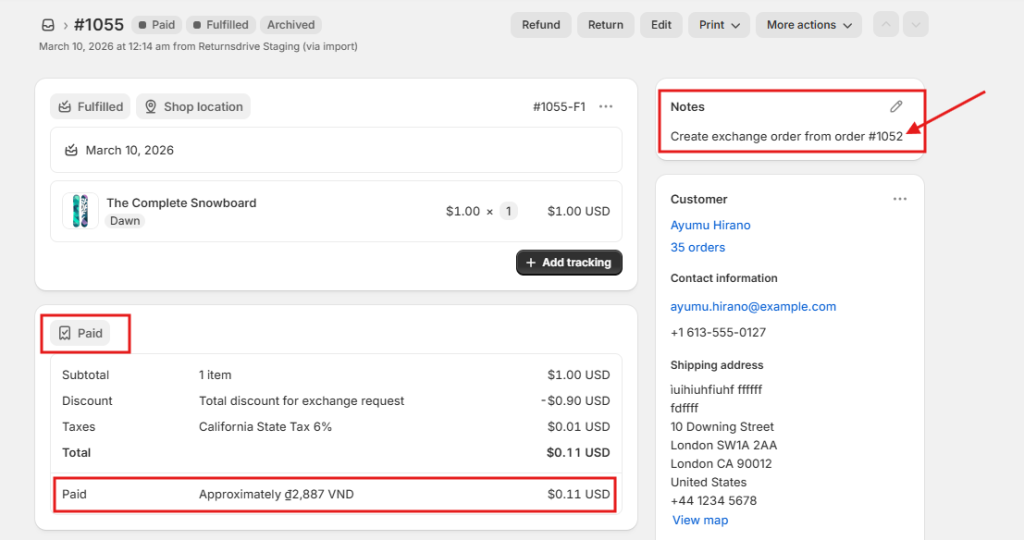
  • Direct Order Linking: Every exchange order is automatically tagged and noted in your Shopify admin for easy tracking (e.g., “Exchange order from #1087”).

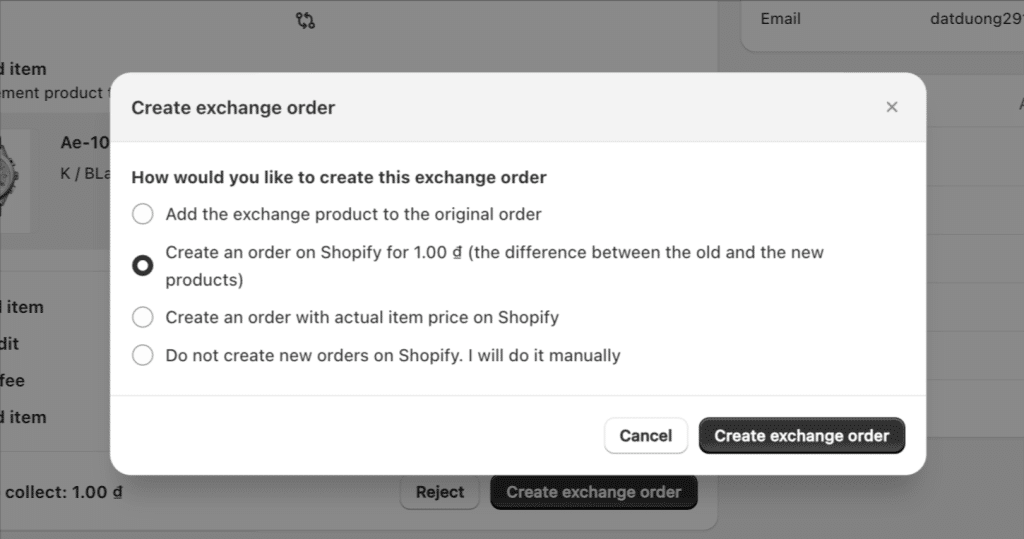
Pro Tip: Merchants have four flexible options for creating exchange orders, including adding the product to the original order or creating a new order with the full item price.

Create exchange order

👉 See how to create an Exchange order

2️⃣ New Auto-refund Rule

Say goodbye to manual refund processing. Our new Auto-refund rules allow you to issue refunds automatically based on the actual status of the return shipment.

This feature reduces manual labor by up to 80% and ensures your customers get their money back at exactly the right moment in their journey.

How it Works:

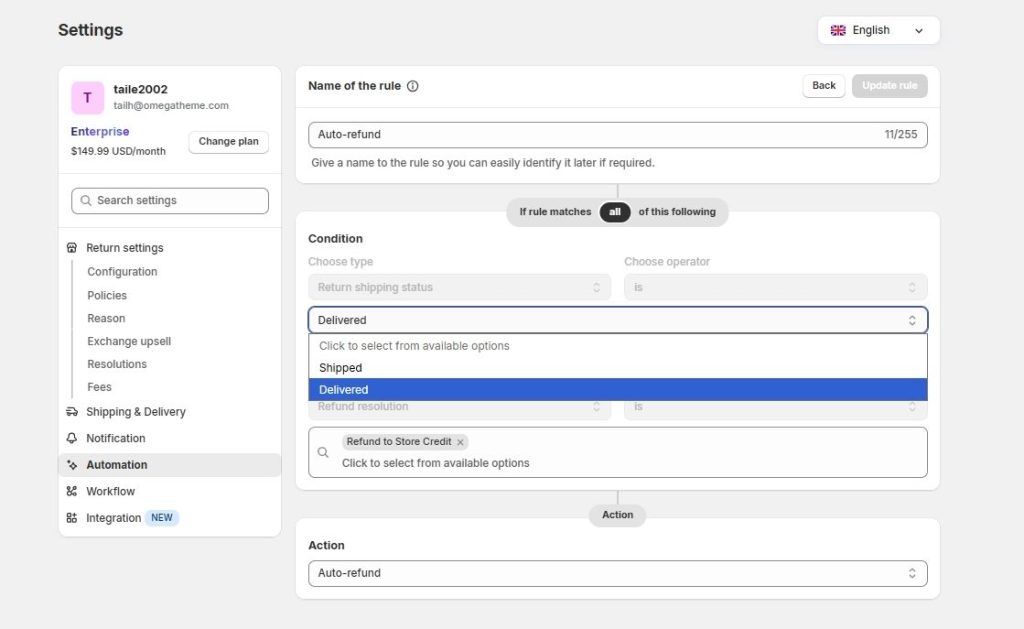
  • Shipment-Triggered Payouts: Set refunds to trigger automatically when a return is Shipped (tracked by courier) or Delivered to your warehouse.

  • Resolution Flexibility: You can enable auto-refunds for specific resolutions, including Original Payment Method, Store Credit, Gift Cards, or Discount Codes.

  • Tracking Integration: To use this, simply enable Return shipment tracking to ensure the system accurately identifies the package status.

  • Clear Visibility: Every automated request receives a unique badge in your admin so you can easily distinguish them from manually processed returns.

Set up conditions for Automation rule

👉 See how to enable Auto-refund

Ready to Automate Your Returns?

These updates are live and ready to help you scale. If you’re looking to reduce your manual workload and provide a more professional exchange experience, now is the perfect time to explore these new settings. Auto-refund is available only on Premium & Enterprise plans. Please upgrade your plan to use the feature.

Need help setting up your first automation rule? Our team is available 24/7 via live chat to help you configure your conditions and get your workflows running smoothly.

Lucas Le AUTHOR

Product Owner at Synctrack Returns & Exchanges. I love data and have a data-driven decision-making mindset.