A Shopify chargeback happens when a cardholder’s bank reverses a payment, takes the money out of your account and returns it to the customer. Customers use it to dispute a charge on their credit card bill. Any business that accepts credit cards can get a chargeback, and each one cuts into your margins. This guide explains how chargebacks work on Shopify, how to prevent them, what Shopify Protect does and doesn’t cover, and how to fight and win the disputes you do get.

A Shopify chargeback happens when a customer skips talking to you and goes straight to their bank to dispute a charge. Instead of asking you for a refund, they tell their bank something’s wrong with the purchase. The bank then pulls the money from your account and gives it back to the customer while it investigates.
One of the most common reasons customers file chargebacks is claiming they never received their order. Chargebacks for “item not received” or “product never arrived” make up about 26% of all chargebacks, according to statistics from Clearly Payments. This ranks as the second most common chargeback reason, trailing only behind transactions that customers claim are fraudulent or unrecognized.
On top of the lost sale, you pay a chargeback fee. On Shopify Payments in the US, that fee is $15 USD. The good news: in the US, Shopify returns the fee if you win the chargeback. The fee amount, and whether it’s refunded when you win, varies by country or region, so check Shopify’s fee table for your store. Third-party processors such as PayPal and Stripe set their own fees.
The typical chargeback process looks like this:
Sometimes the bank sends an inquiry first instead of a full chargeback. With an inquiry, the bank asks for information but doesn’t take the money or the fee right away. Answer it quickly, because an unanswered inquiry can escalate to a full chargeback.
During the whole process, the customer already has their money back, while you’re left waiting for the outcome.
Any company that accepts credit cards runs the risk of getting a chargeback, and Shopify sellers are no exception.

Shopify chargeback can be started for a number of reasons, including:
Friendly fraud is a big part of the problem. In Chargebacks911’s 2024 Chargeback Field Report, merchants estimated that about 45% of chargebacks come from friendly fraud, where customers dispute legitimate transactions. The problem is growing: in the 2026 edition of the report, 73.7% of merchants who reported a change said friendly fraud had increased over the past three years.
Chargebacks damage your store in several ways:
The real cost is much higher than the order value. According to the LexisNexis True Cost of Fraud Study 2025, each $1 of fraud costs US merchants $4.61 in total. By that math, a single $50 fraudulent order can end up costing you around $230.
You can take precautions to prevent chargebacks, but the risk cannot be entirely eliminated. But how can you prevent chargebacks from happening in the first place? To avoid chargebacks and time-consuming questions, follow the following tips:
Shopify offers a lifeline called Shopify Protect – a Shopify chargeback protection program that covers certain fraud-related chargebacks. Here’s how it works:

When an eligible order gets hit with a fraud chargeback, Shopify immediately reimburses you both the disputed amount and the chargeback fee. You don’t need to submit evidence or do anything – Shopify handles the entire dispute for you.
To qualify for Shopify Protect, all of these must be true:
The catch? Shopify Protect only covers fraud-related chargebacks. It doesn’t cover disputes about product quality, item not received, or orders from merchants outside the US. A protected chargeback also still counts toward your chargeback rate. Still, protection against fraud disputes (which are often the hardest to win) is very valuable.
Pay attention to Shopify’s fraud analysis, which flags risky orders for you. For high-value orders, verify the details by contacting the customer before you ship. Always use CVV and address verification (AVS) checks, and consider requiring a signature on delivery for expensive items.
One jewelry store owner shared: “After we started requiring signature confirmation for orders over $100, our fraud chargebacks dropped by half.”
Many customers file chargebacks simply because they don’t recognize your store name on their card statement. Make sure your statement descriptor clearly identifies your business. In your Shopify Payments settings, set it to your actual store name (or the brand name customers know) rather than a generic or legal entity name.
Always provide tracking numbers and use delivery confirmation for every order. For expensive items, require a signature on delivery. Send notification emails when packages ship and arrive, so customers can’t easily claim they never got their order.
Keeping customers informed about their orders is one of the best ways to reduce disputes and chargebacks. It matters most with PayPal and Stripe, where a valid tracking number is often the strongest proof that you shipped.
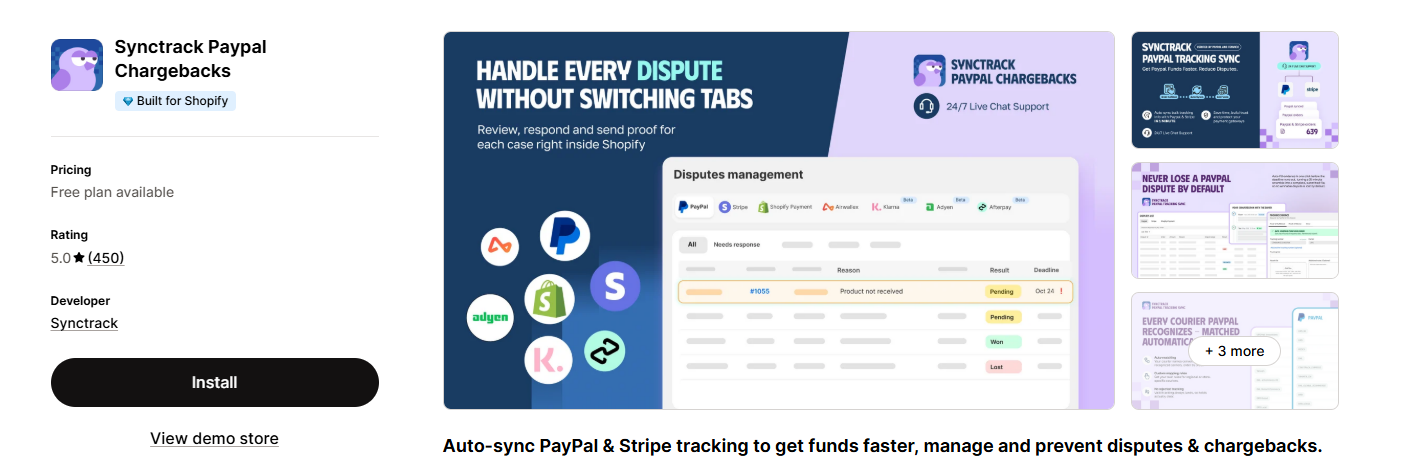
That’s where Synctrack PayPal Chargebacks (formerly Synctrack PayPal Tracking Sync) comes in. Synctrack is a technical PayPal partner. It automatically sends your Shopify tracking numbers to PayPal and Stripe, so they can see you shipped the order. It also lets you manage disputes and chargebacks from every payment gateway in one dashboard.
Here’s what it does for your store:
The best part? There’s a free plan to start with, it’s rated 5.0 from 450 reviews on the Shopify App Store, and support is available 24/7 via live chat. You won’t have to copy tracking numbers into PayPal by hand or keep checking five dashboards for new disputes, so you have more time to run your business.
Set realistic expectations about shipping times, returns and product details. Have an easy-to-find return policy and honor it. For pre-orders or backorders, communicate delays before customers get impatient. Clear policies also become strong evidence if you ever need to fight a dispute.
Respond quickly to complaints and solve problems before they escalate to chargebacks. Many disputes happen simply because customers couldn’t reach you. Make your contact information easy to find, and be willing to offer a refund when it’s appropriate. A voluntary refund costs you the order amount, but it doesn’t add a chargeback fee or count against your chargeback rate.
Online shopping continues to grow, and unfortunately, so do chargebacks. Between 2023 and 2024, eCommerce chargeback rates rose by 222%. But you’re not defenseless.

When a chargeback hits, you need to decide whether to accept it or fight back. For small amounts, sometimes it’s not worth the effort. But for significant orders or clear cases of friendly fraud, here’s how to dispute effectively:
1. Act Fast:
On Shopify Payments you usually have 7–21 days to respond, and PayPal gives you only 10 days. Missing the deadline means you lose automatically.
2. Gather Strong Evidence: Depending on the dispute reason, collect:
3. Write a Clear Response: Keep it factual and professional. Address the specific reason code with relevant evidence. Make it easy for the reviewer to see key points.
4. Submit Through Shopify: For Shopify Payments, you’ll submit everything through your Shopify admin.
5. Learn From Every Case: Whether you win or lose, use each chargeback as a learning opportunity to improve your business practices.
Pro tip: If you take payments through more than one gateway, collecting evidence and tracking deadlines across separate dashboards gets messy fast. Tools like Synctrack PayPal Chargebacks bring all your disputes into one place, fill in the evidence for you, and send reminders before a deadline passes. That makes steps 1–4 much faster.
Most merchants win about 45% of the chargebacks they fight. With strong evidence and a prompt response, you can beat those odds.
Chargebacks happen to every Shopify store sooner or later. They’re annoying, but they won’t wreck your business if you’re prepared. Stay on top of fraud, keep good records, and fight back when it makes sense. That way, you can spend your time growing your store instead of constantly worrying about disputes. The more systems you put in place now, the fewer headaches you’ll have down the road.
In the US, yes. Shopify Payments charges a $15 fee per chargeback and returns it if you win. In other countries and regions, the fee and whether it’s refunded vary, so check Shopify’s chargeback fee table.
Usually 7–21 days on Shopify Payments. The exact deadline is shown on the chargeback in your Shopify admin.
No. Shopify Protect only covers fraud-related chargebacks on eligible US Shop Pay orders. For item-not-received disputes, you need to respond with tracking and delivery evidence yourself.
Keep it as low as you can. Under Visa’s VAMP program, merchants in the US, Canada, the EU and Asia-Pacific are flagged as “Excessive” at a 1.5% ratio of fraud and disputes to transactions (since April 1, 2026). Shopify and other processors also monitor your rate and may restrict your account before you reach that level.