Year-end sales bring a wave of orders, and right behind them, a wave of returns. If you want to block returns on discounted items from your BFCM or clearance codes, your only option used to be blocking every discounted item, including the welcome and VIP codes your best customers rely on.
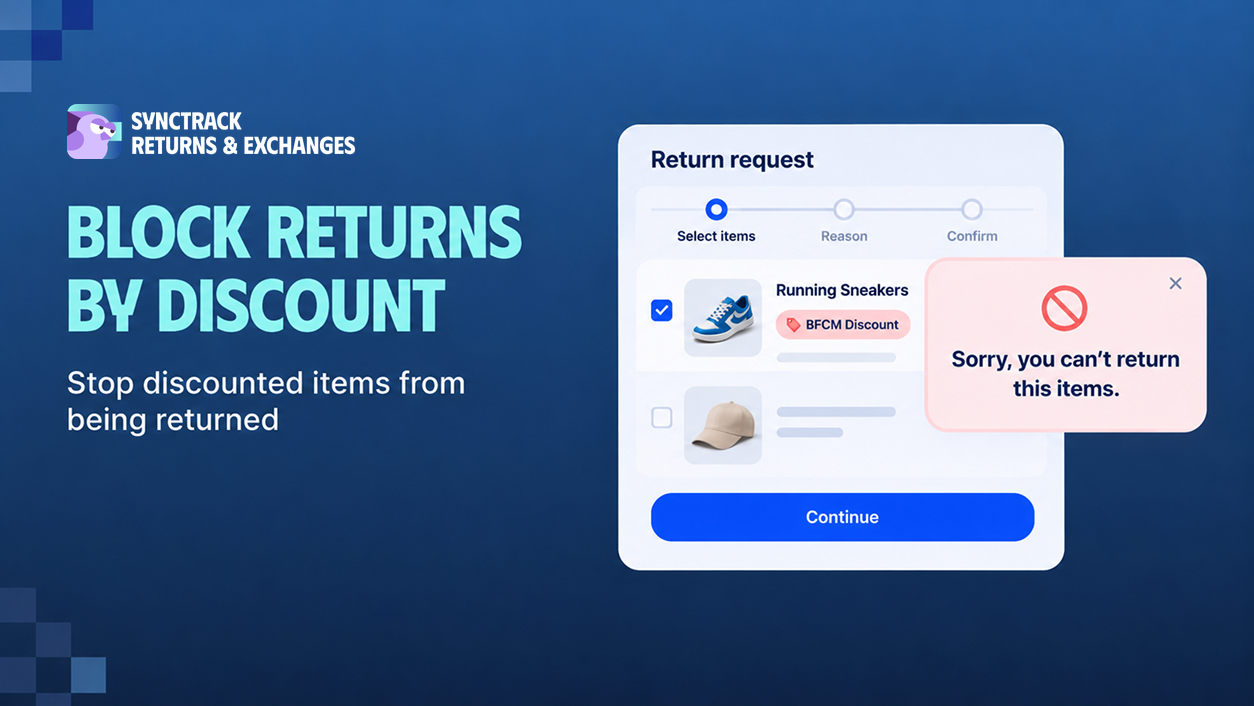
Synctrack Returns & Exchanges now lets you pick exactly which discounts can’t be returned. A new return policy condition, Have discount, blocks returns on items bought with the codes you choose and leaves everything else returnable.
Have Discount: A Return Rule That Targets Specific Codes
The existing Do not accept discounted items toggle is all or nothing, so many merchants left it off. Stores that needed code-level control had to rely on custom code. Have discount replaces both with one setting.
- Code-level control: block returns by discount code or automatic discount name, up to 20 per condition.
- Item-level blocking: only the items that received that discount are blocked. Full-price items in the same order can still be returned or exchanged.
- Returns and exchanges: the rule covers both, including requests you create for a customer from the app.
- Plan: available on the Premium plan and above. Your current “Do not accept discounted items” setting stays exactly as it is.
Three Ways to Block Returns on Discounted Items
Pick the operator that matches how your discounts are named:
- Block specific codes (is): list codes like
BFCM26 or CLEARANCE. Only those discounts block returns.
- Block a whole family (contains): enter a word like
SALE to catch every code or discount name that includes it.
- Block all but your favorites (is not): block every discount except the ones you list, such as
WELCOME or VIP.
- Block any discount (exists): the default. Blocks every item that received any discount, with no values to enter.
Set Up a Discount Return Policy in Synctrack
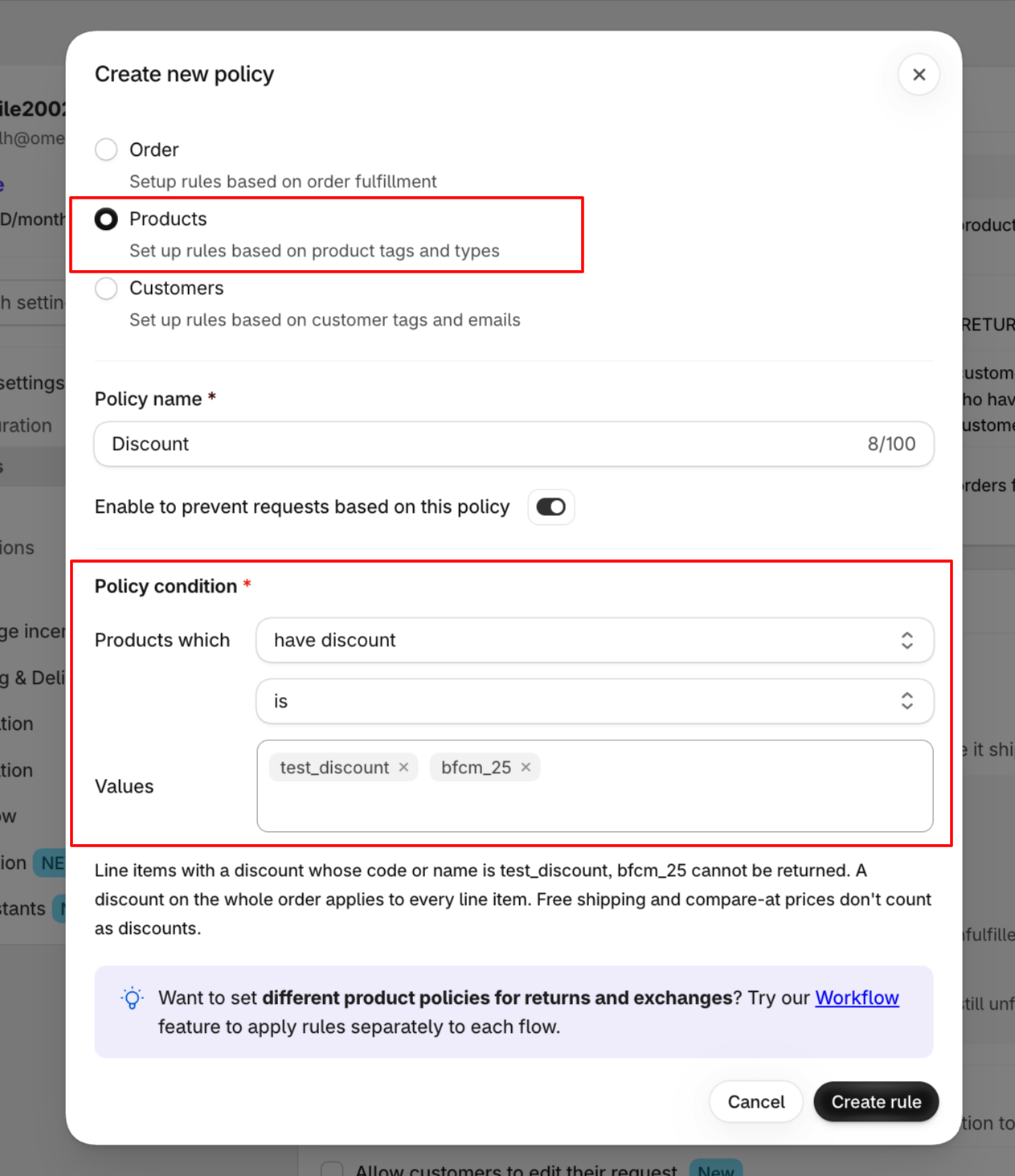
- Go to Settings -> Policies and click Create Policy.
- Choose Products, then under Policy condition select have discount.
- Choose an operator: exists, is, is not or contains.
- Enter the Values: discount codes or automatic discount titles exactly as they appear on the order (not needed for exists).
- Check the summary sentence under the condition, then click Create rule.
For screenshots and more examples, see the discount condition guide.
Which Items Get Blocked in a Discounted Order
How Shopify applies the discount decides which items are blocked:
- Product or collection discounts: only those items are blocked.
- Order-wide discounts: Shopify spreads the discount across every item, so every item in the order is blocked.
- Buy X get Y: only the discounted item (Y) is blocked.
- Free shipping: no item is blocked.
- Full-price items: never blocked, whichever operator you use, including is not.
In the return portal, blocked items show as not returnable with the message “Discounted items cannot be returned“, so customers know why and can still return the rest of the order.
A few more details:
- Sale prices don’t count: compare-at prices aren’t discounts. Only discount codes and automatic discounts are checked.
- Flexible matching: codes are compared ignoring upper and lower case and extra spaces.
- Stable results: the app reads the discount name saved on the order, so renaming or deleting a discount in Shopify later doesn’t change anything.
- Past orders included: the rule works on existing orders too, with no data sync needed.
- Lower plans: the condition shows as locked with an upgrade prompt, and saved discount conditions don’t apply until you upgrade.
Protect Sale Margins and Keep Loyal Customers Happy
Deep discounts should drive sales, not a second round of refunds. With Have discount, you decide which promotions are final sale and which stay flexible, so your BFCM margins hold up while welcome and VIP shoppers keep the return experience they expect.
The condition is live now for Synctrack Returns & Exchanges merchants on Premium and above, just in time for year-end sales. Not sure which codes to block? Our team is happy to help in live chat.
Make Your Sale Codes Final Sale
Block returns on the discounts you choose, and keep VIP codes returnable.
Install Synctrack Returns