Did you know your customers check their tracking status 3 to 5 times per order?
After hitting “Pay Now,” excitement kicks in. Shoppers constantly refresh their order tracking page to see where their package is. That makes your tracking page one of the highest-traffic, most engaged touchpoints in the entire post-purchase journey.
So why let that traffic go to waste with a plain, single-purpose page?
With our brand-new Product Recommendations on Tracking Page, you can showcase tailored product suggestions directly on your branded tracking page. Turn passive package tracking into active repeat sales – without interrupting the shipping experience.
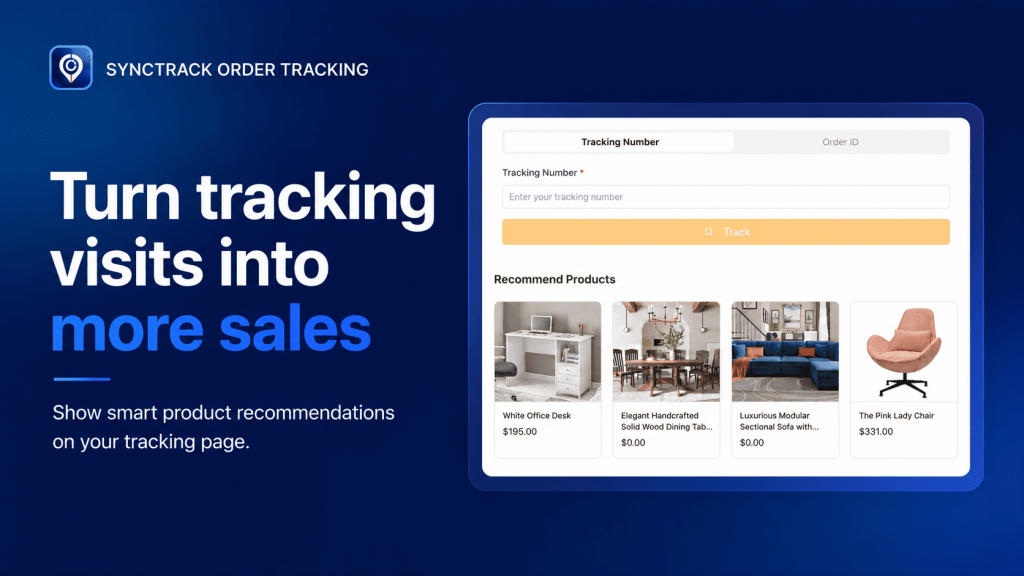
Post-purchase marketing doesn’t have to be pushy. Because shoppers are already engaged and excited about your brand, showing them relevant items while they wait is a low-friction way to boost lifetime value.
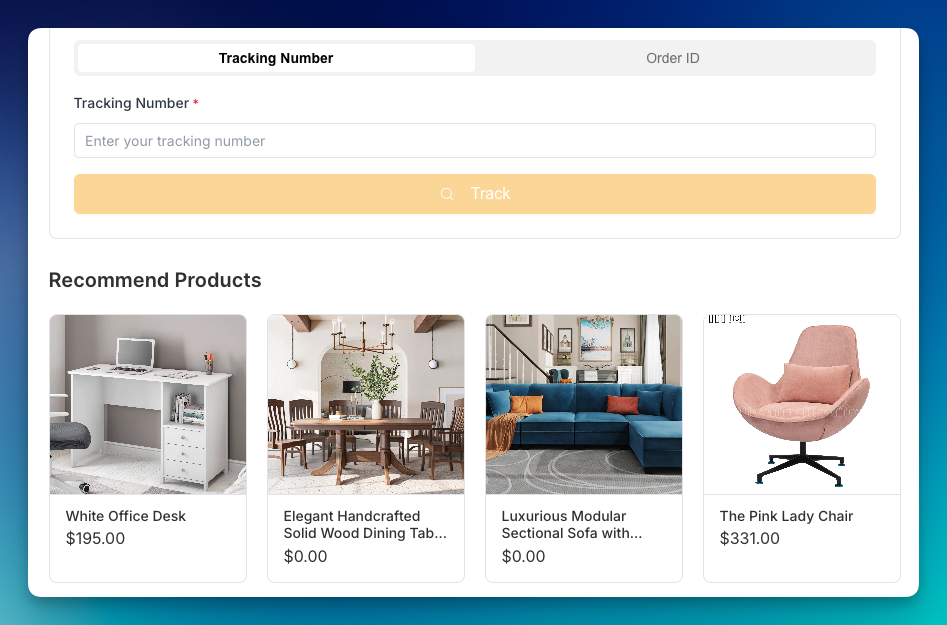
You control exactly what your customers see based on your current strategy and goals:
| Strategy | How It Works | Best Used For… |
| Shopify Related Products | Hands-off & Automated. Uses Shopify’s recommendation engine to suggest items based on what’s in the current order. | Effortless, personalized cross-selling based on order data. |
| Best-Sellers & New Arrivals | Show off your top-performing products or latest catalog additions. | Driving proven revenue drivers to all shoppers. |
| Collections & Product Types | Target specific categories (e.g., “Accessories”, “Summer Collection”). | Seasonal campaigns or inventory clear-outs. |
| Hand-Picked Selection | Manually select exact individual items to feature. | Promoting specific high-margin products or gift add-ons. |
🌍 Selling Internationally? No extra setup required! If you use Shopify Markets, recommended products automatically adapt to each customer’s shipping address – showing the correct currency, market-specific pricing, and local item availability.
Setting up Product Recommendations on Synctrack is fast and simple:
Open the Tracking Page Editor:
Navigate to the Tracking Page tab in your left navigation bar -> Configuration.
Turn on the Feature:
In the left panel under Additional Sections, check the box next to Product Recommendation.
Customize Your Settings:
Click the pencil (edit) icon to open settings:
Set a Heading: Enter an enticing title (e.g., “You Might Also Like” or “Pairs Well With Your Order”).
Select Your Source: Choose between Shopify related products (automated) or Rule based (custom filters like Collections, Tags, or Specific Products).
Choose Sorting: Set your order priority (e.g., Newest First or Best Selling).
Save & Enable:
Click Save Changes, preview your tracking page to ensure it looks crisp, and switch the block to Enabled.
Getting started is simple 👉 Check out our guidelines in details.
Never worry about broken layouts or dead links on your tracking page:
Out-of-Stock/Unpublished Products: Automatically hidden from view so shoppers never see an unavailable item.
Empty Collections: Automatically defaults to showing All Products so the block is never left blank.
New Stores: If Shopify doesn’t have enough sales history for smart recommendations yet, it smoothly defaults to general store items.
Ready to Level Up Your Post-Purchase Experience?
Your tracking page can do so much more than answer “Where’s my order?” Transform it into a revenue generator today!
Need a hand deciding what products to feature or getting everything configured? Our support team is always here for you.






