Handling disputes retroactively drains your time and revenue. While notifying your team about chargebacks is necessary, preventing risky orders from shipping in the first place protects your bottom line. Until now, setting up these automated alerts in Synctrack required an external Shopify Flow integration.
With our new native Workflow Automation, you can now build condition-based alerts directly inside the Synctrack app. More importantly, this update shifts your operations from reactive to proactive, allowing you to flag risky orders before a dispute ever occurs.
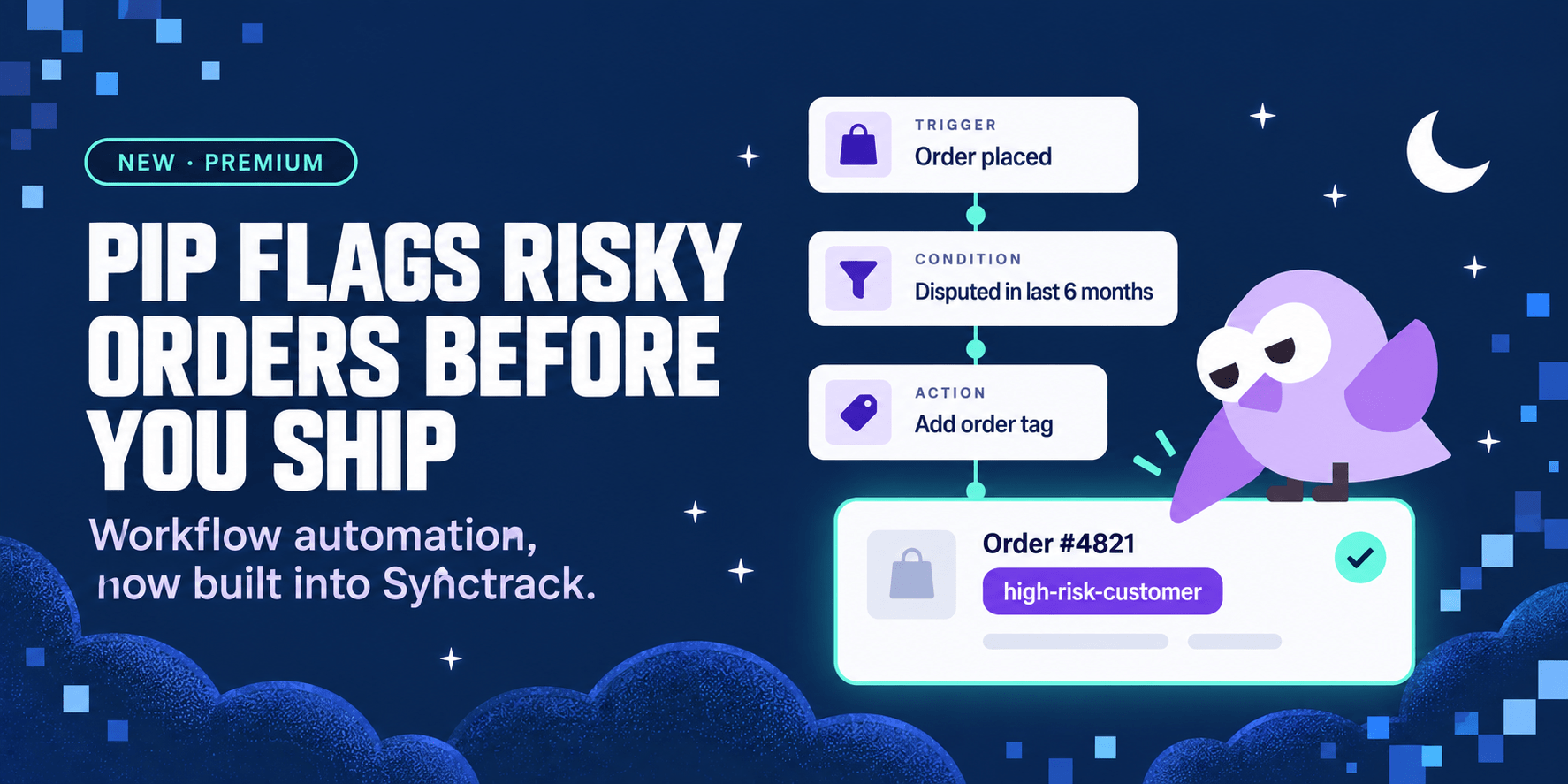
Identifying repeat disputers manually is nearly impossible during high-volume fulfillment periods. Our new native trigger automatically catches problematic buyers at the moment of purchase, using historical dispute data that only Synctrack possesses.
Order Placed by High-Risk Customer: This new workflow trigger runs automatically when a buyer who received a refund or opened a dispute in the last 6 months places a new order. You can customize the rules using specific conditions like prior refunded orders, prior dispute count, transaction amount, or gateway.
Workflow Improvement: Instantly apply a Shopify order tag or customer tag so your fulfillment team knows to pause and review the shipment. You eliminate manual background checks and stop potentially fraudulent shipments dead in their tracks without leaving the app.
Protecting your merchant account health means acting faster than the dispute process itself. Catching a known risky buyer before fulfillment is the single most effective way to protect your bottom line.
Proactive Chargeback Prevention: By automatically tagging orders from repeat disputers or previously refunded buyers, you stop the loss of physical merchandise and avoid costly gateway chargeback fees entirely.
Frictionless Fulfillment Guardrails: Your warehouse team doesn’t need to learn a new system or check a separate app. They simply look for the automated Shopify tag and hold the specific order for managerial review while processing the rest of your queue normally.
Workflow Automation is available right now for all merchants on the Premium plan and above. To help you deploy these guardrails immediately, we have included a ready-made template.
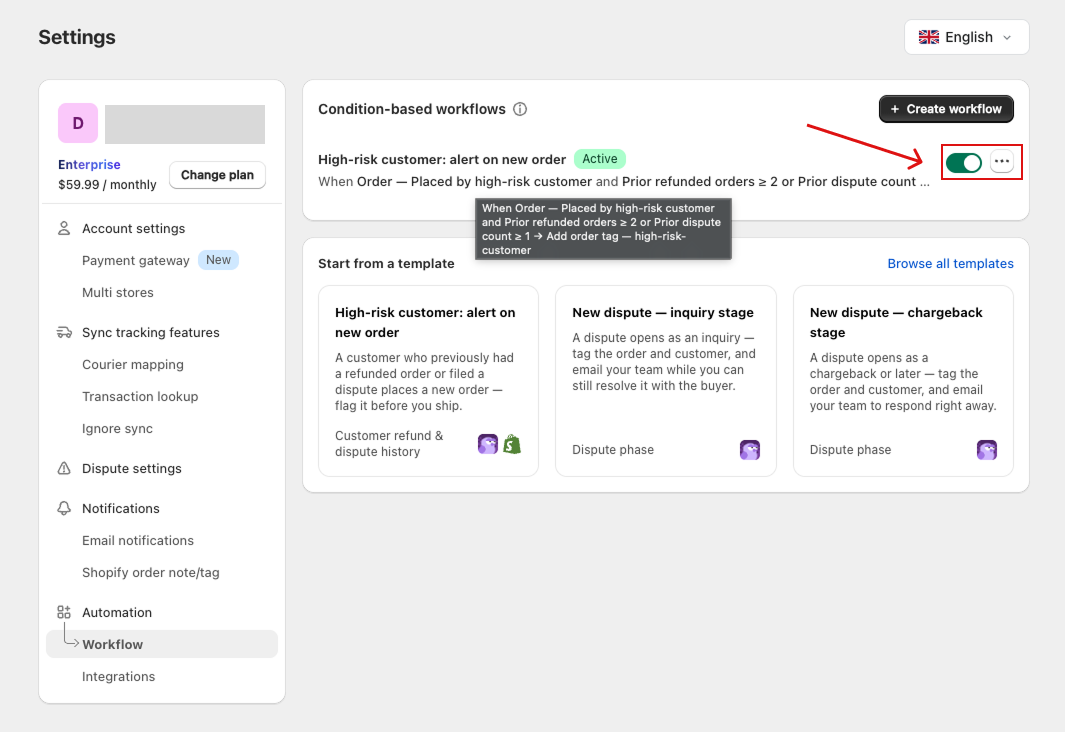
Go to Settings → Automation → Workflow in your Synctrack dashboard and click Create workflow.
Choose the High-risk customer template from the list. (Every value can be edited to fit your specific risk thresholds).
Review the trigger, conditions, and action. Ensure the system is set to apply an Add order tag or Add customer tag so your team is alerted in Shopify.
Click Activate to start monitoring incoming orders immediately. You can toggle this workflow on or off from your list at any time. (Note: If you downgrade from the Premium plan, your workflows are safely saved and paused until you upgrade again).
Ready to protect your shipments? Read the full documentation here or log into your Synctrack account to activate your first high-risk workflow. If you need any further help, please feel free to contact us!






