If you’re running a business on Shopify, your day is already spent inside the Shopify Admin. Every context switch – opening new tabs, jumping into apps, cross-referencing order numbers – costs you focus and time.
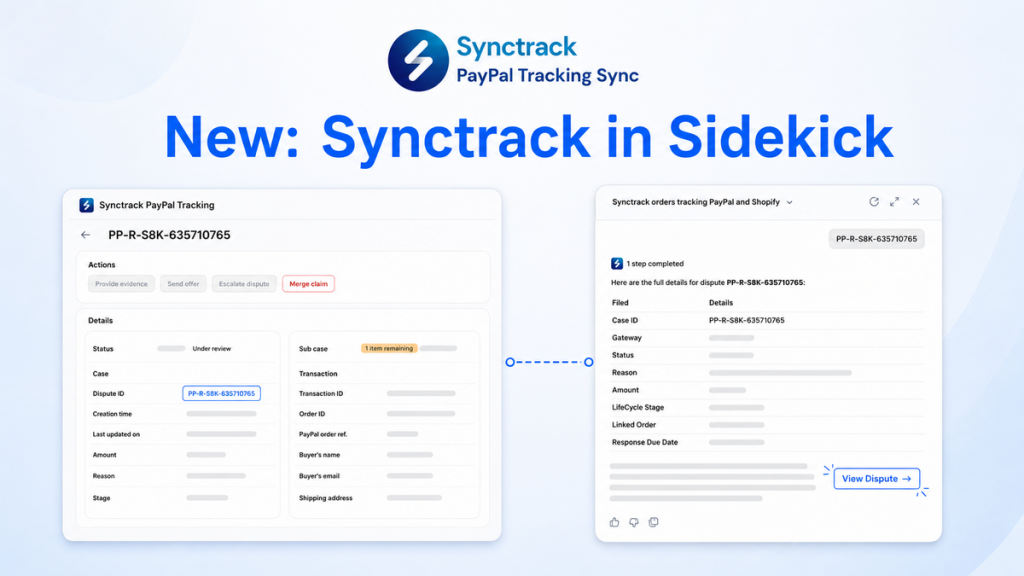
We’re excited to announce that Synctrack PayPal Tracking is now directly integrated with Shopify Sidekick, your built-in AI assistant.
Now, staying on top of your tracking sync and managing time-sensitive PayPal or Stripe disputes is as simple as typing a quick, plain-English prompt.
Contents
Instead of clicking into the Synctrack app to check on recent orders or dispute deadlines, you can ask Sidekick directly from whatever page you’re working on in your Shopify Admin.
Sidekick pulls live data from Synctrack, gives you a clear summary, and – when a dispute requires action – offers a one-click link straight to the right dispute page in Synctrack so you can respond immediately.
🔒 Control & Safety First: Sidekick acts purely as your direct navigator and status reporter. It never changes settings, submits dispute evidence, or alters data on its own. You are always in full control of your final responses and edits.
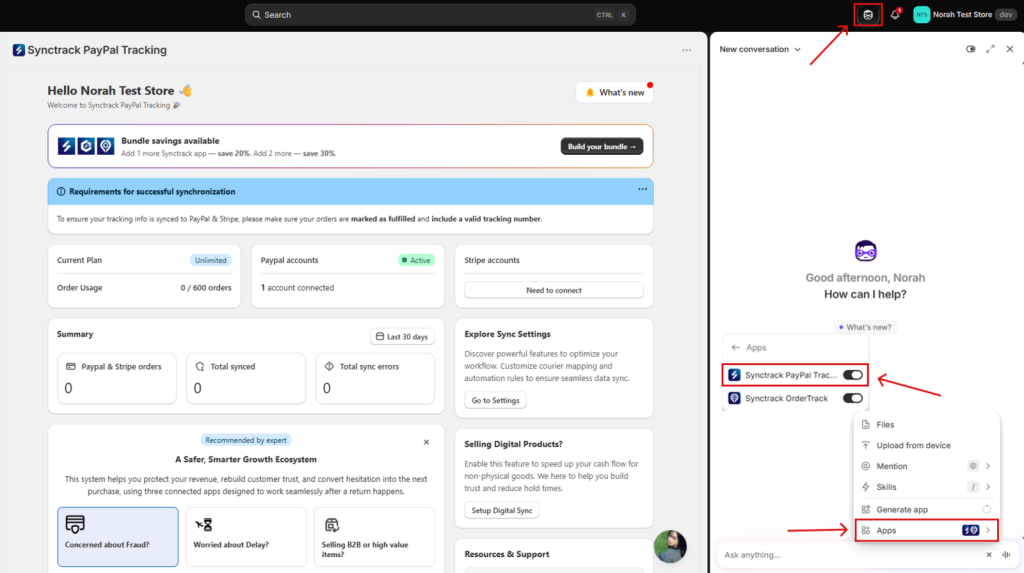
To get the most accurate answers, frame your queries with explicit context (mentioning keywords like PayPal/Stripe, disputes, or tracking sync) and specific date ranges.
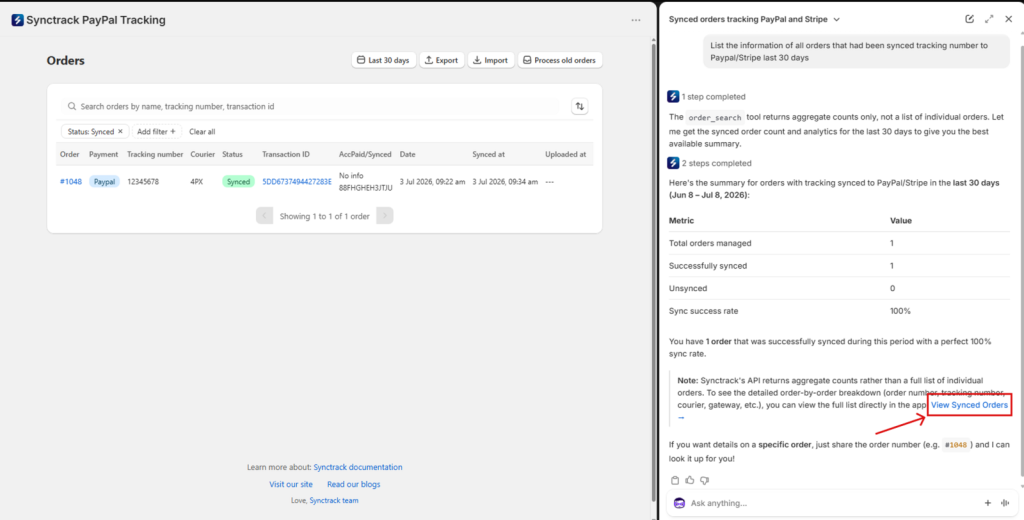
Quickly audit whether your fulfillment data is syncing properly to PayPal or Stripe.
Try asking:
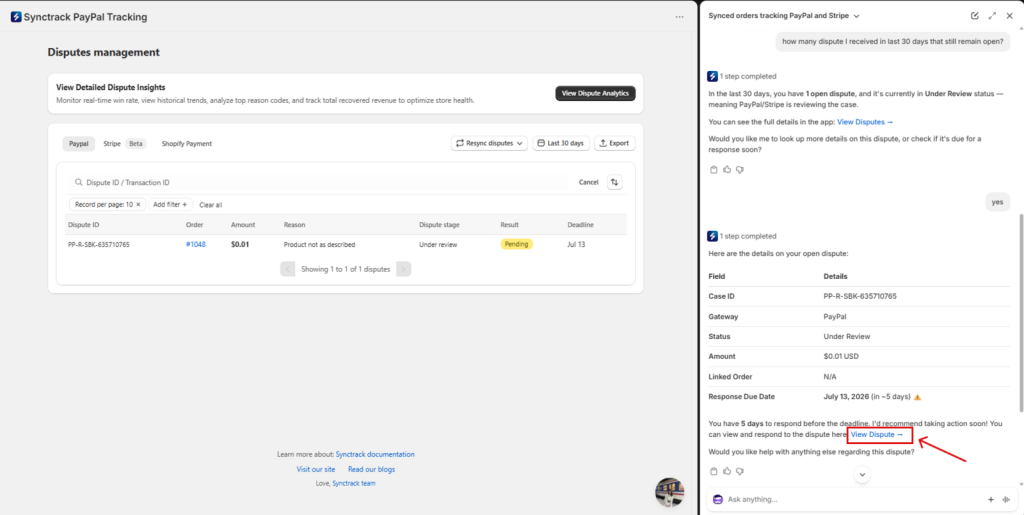
Never miss a dispute response window again.
Try asking:
Fetch gateway, status, order amounts, and response deadlines for single transactions.
Try asking:
| Step | Action |
| 1. Open Sidekick | Launch Shopify Sidekick from any page in your Shopify Admin. |
| 2. Ask a Question | Type a natural-language question about your disputes or tracking sync. |
| 3. Grant Permission (First-time only) | Click Yes when Sidekick asks to access your Synctrack data. |
| 4. Review & Act | Read the summary. Click the direct link to jump straight to the exact Synctrack page to take action. |
Why isn’t Sidekick showing up in my store?
Sidekick is rolling out regionally by Shopify. If you don’t see the Sidekick icon in your Admin yet, please check with Shopify Support regarding availability for your plan/region.
Sidekick didn’t trigger Synctrack data – what happened?
Make sure your prompt explicitly mentions “PayPal/Stripe disputes”, “tracking sync”, or “Synctrack” so Sidekick routes your question to our app integration.
Need a multi-store overview?
Because Sidekick enforces strict single-store security, reach out to our support team directly if you manage multiple storefronts and need consolidated multi-store reporting.
|
Synctrack now lives inside Shopify Sidekick You can ask about your PayPal disputes and tracking sync without ever opening the app |






