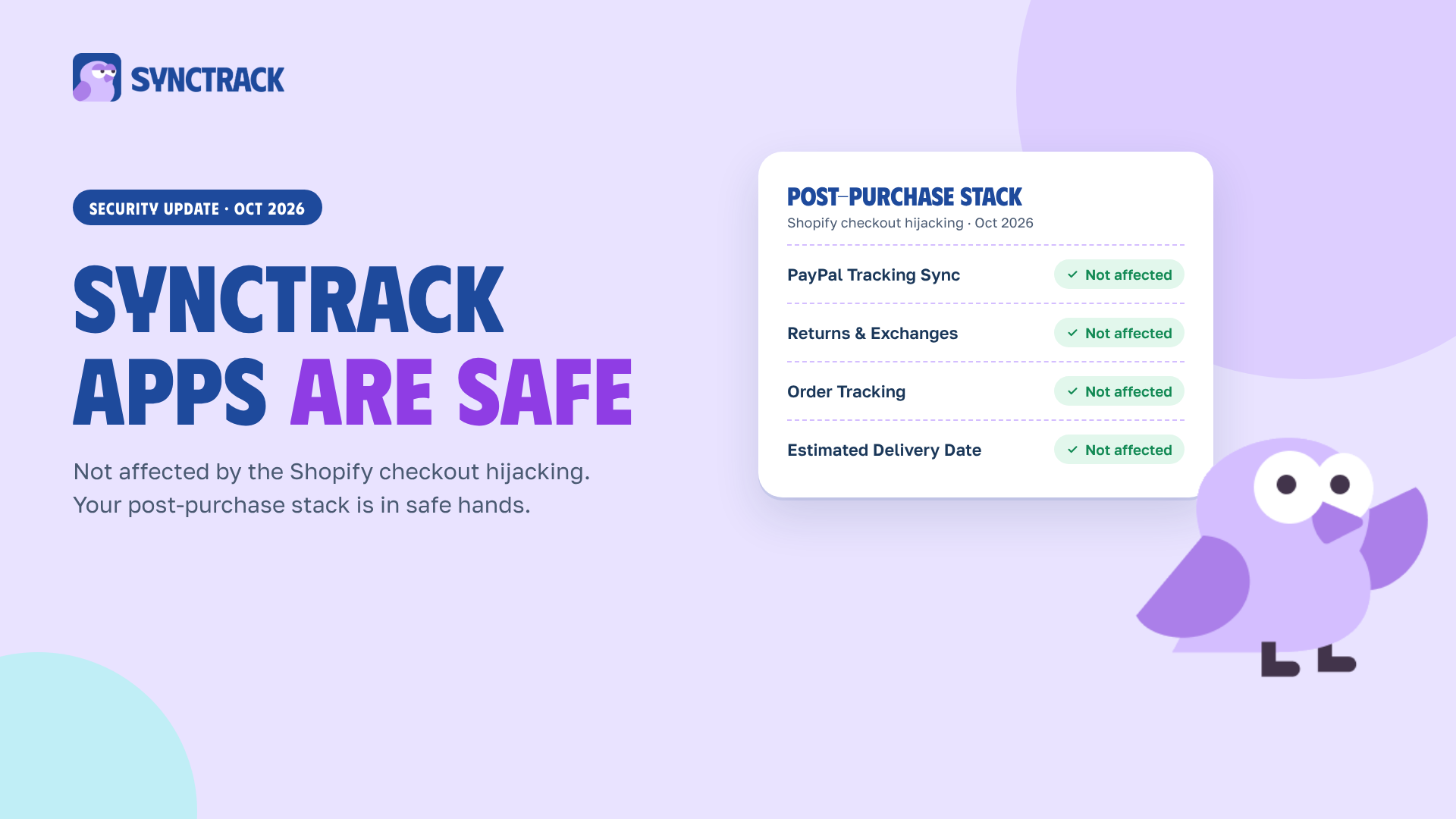
No Synctrack app was affected by the October 2026 Shopify checkout hijacking. Synctrack doesn’t run custom checkout JavaScript, your customers always pay on Shopify’s native checkout, and everything our apps show on your store is validated first, so no harmful JavaScript can be initialized.
Shopify’s own checkout was never breached. The attackers went around it, through apps that stores had installed:
.top domain that captured their card details.The script also ran only once per browser session, which is why merchants who tested in their usual browser often saw nothing.
The developer statements tracked by Letsmetrix and merchant reports compiled by Fudge point to these apps so far:
| App | What we know |
|---|---|
| Hulk Product Options | Confirmed by the developer (Oct 10) |
| Selleasy | Confirmed by the developer (Oct 13) |
| Swym Wishlist Plus | Confirmed by the developer (Oct 14 and 18) |
| OC Quantity Breaks & Limit (Orichi) | Confirmed by the developer, separate earlier incident (Sep 11) |
| Sticky Add to Cart & Mega Menu (Qikify) | Confirmed by the developer, separate earlier incident (Jul 22), resolved |
| Boost AI Search & Filter | Reported by merchants, not confirmed |
| Privy | Reported by merchants, not confirmed |
| Hextom apps | Reported by a merchant in August, not verified |
This list may still grow. Some affected apps may simply not have been spotted yet, which is why the playbook below is worth running even if none of these apps are on your store.
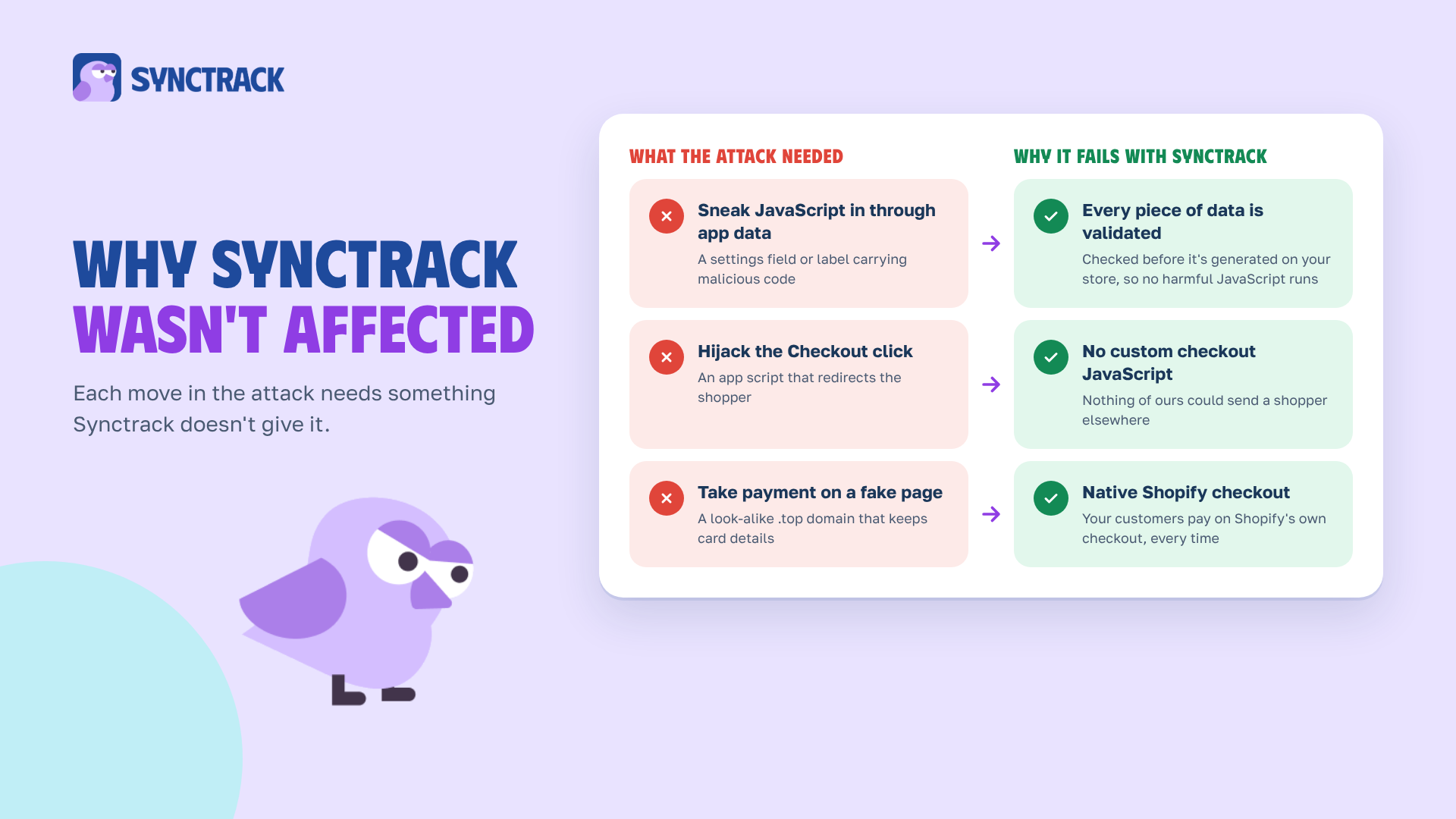
Each move in the attack needs something Synctrack doesn’t give it:
| What the attack needed | Why it fails with Synctrack |
|---|---|
| A way to slip JavaScript onto the storefront through app data | All information is validated before it is generated on your store, so no harmful JavaScript can be initialized. |
| An app script that could redirect the Checkout click | We don’t run custom checkout JavaScript. There is nothing of ours that could send a shopper elsewhere. |
| A shopper paying somewhere other than Shopify | Your customers pay on Shopify’s native checkout, every time. |
This applies to all four Synctrack apps: PayPal Tracking Sync, Returns & Exchanges, Order Tracking and Estimated Delivery Date.
On October 20, 2026, Shopify asked every app developer to treat all rendered data as untrusted. That’s exactly the principle behind our validation step.
The checkout hijacking wasn’t the only security story this month. Here’s how Synctrack stands on the rest.
The PHP flaw. On October 21, 2026, two critical PHP vulnerabilities (CVE-2026-109618 and CVE-2026-109619, nicknamed “PHP2Shell”) were disclosed, rated 9.2 out of 10. Our systems have no exposure to them.
The Node.js fixes. The same day, Node.js released security fixes for 10 issues, the most serious being a Brotli decompression flaw that could allow remote code execution. Every Synctrack service running Node.js was updated on October 22, 2026, the next day.
Neither issue has been linked to the checkout hijacking.
The foundations. Synctrack is part of the OmegaTheme ecosystem, which runs on SOC 2 Type II security controls. According to the OmegaTheme Trust Center, that means AES-256 encryption at rest, TLS 1.3 in transit, role-based access, continuous vulnerability monitoring, penetration testing and a 99.9% monthly uptime SLA.
Your order data. Post-purchase apps handle sensitive order information, so we keep it tight: we collect only what our apps need, never sell or share merchant data, and follow GDPR and CCPA. Our Data Processing Agreement has the details.
You don’t need a developer for any of this. Block out 15 minutes and work through it in order.
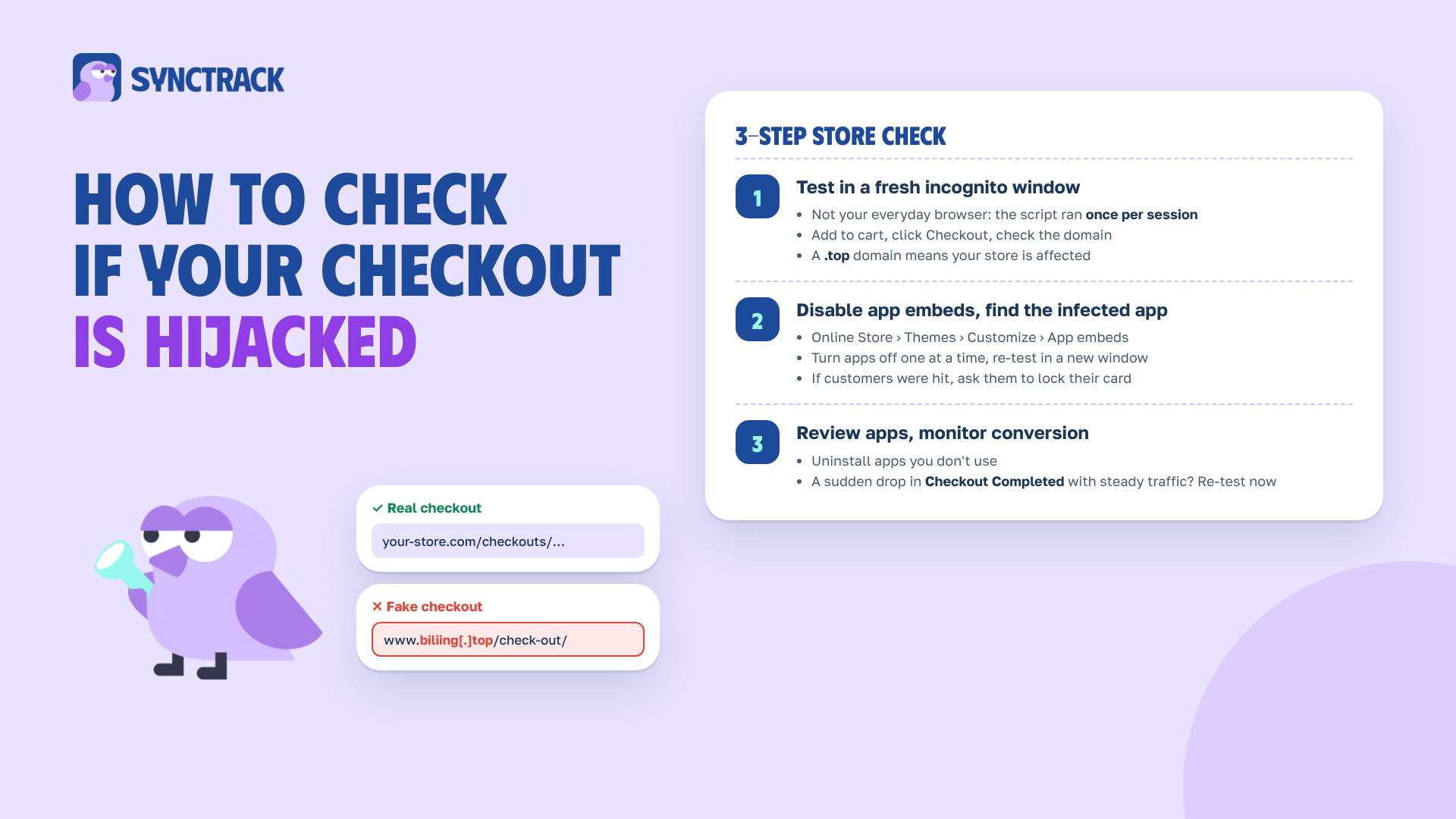
One rule first: don’t test in the browser you use every day. The malicious script only fired once per session, so a browser you’ve already shopped in can make an infected store look clean.
your-store.com/checkouts/…. If you see an unfamiliar domain, especially one ending in .top, your store is affected.I use Synctrack. Do I need to change anything?
No. None of our apps were affected, so there’s nothing to change on the Synctrack side. We’d still recommend running the checkout test above, because it covers every app on your store, not just ours.
Can someone inject code through my tracking page?
Not through Synctrack. Everything we show on your tracking page, delivery date widgets and returns portal is validated before it’s generated on your store, so no harmful JavaScript can be initialized.
Does Synctrack touch my checkout?
We don’t run custom checkout JavaScript. Your customers always pay on Shopify’s native checkout.
My checkout test came back clean. Am I in the clear?
Most likely, but keep watching. Check your conversion rate and Checkout Completed events over the next few weeks, and re-test in a fresh incognito window if either dips without a drop in traffic.
Is Synctrack exposed to the PHP or Node.js vulnerabilities?
No. Our systems have no exposure to the PHP flaws CVE-2026-109618 and CVE-2026-109619, and every service running Node.js was patched on October 22, 2026.
The moments after a purchase are where a customer decides whether to buy from you again. A fake checkout breaks that trust before the parcel even ships. We build Synctrack to protect those moments, and that includes being careful about everything we put on your store.
We’re keeping a close eye on how this incident develops and on the new security requirements Shopify is rolling out. If anything changes, we’ll update this post.
Got a question, or something on your store that doesn’t look right? Message us from inside any Synctrack app or use our contact form.






