Managing post-purchase operations manually creates bottlenecks as order volumes scale. Handling multi-facility returns without routing rules leads to misdirected parcels and unnecessary transit costs. At the same time, abandoned customer requests clog pending queues, and a lack of activity logs makes it difficult for support leads to track who approved an item or issued a refund.
To resolve these operational frictions, Synctrack Returns & Exchanges has introduced three core updates: granular timeline attribution, automated multi-warehouse return routing, and automated cancellation for expired requests. These enhancements bring full operational visibility to support teams while automating repetitive logistics workflows.
This release introduces automated warehouse routing, request cleanup, and activity logs to eliminate manual touchpoints across your support and fulfillment teams.
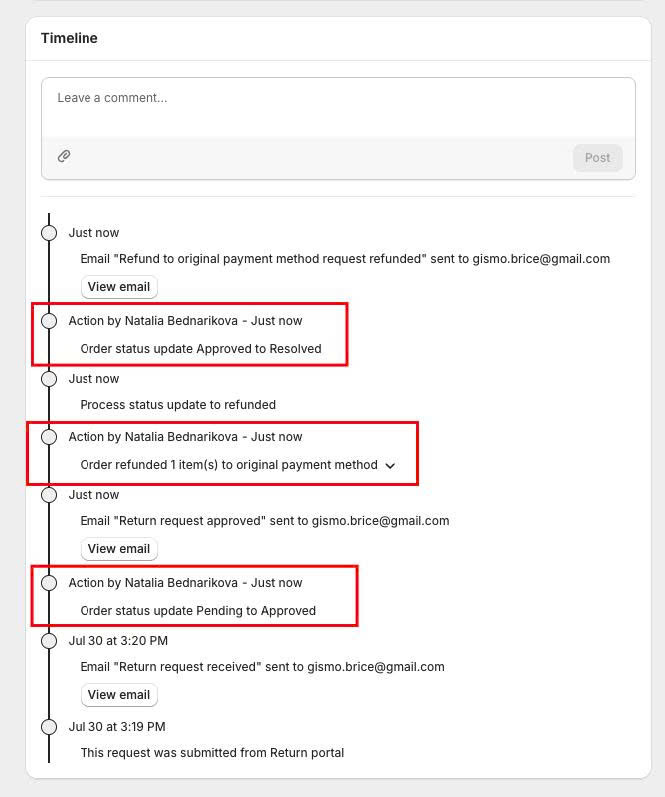
Synctrack now logs the exact person or system behind every milestone in the return timeline. The system tracks approvals, refunds, item receipts, restocking, exchange orders, and cancellations. Merchants can also add internal notes and attach photos directly to the request history.
Key actors identified in the timeline:
Workflow Improvement: Delivers a complete audit trail for support teams, resolving internal handoff confusion without cross-checking external logs.
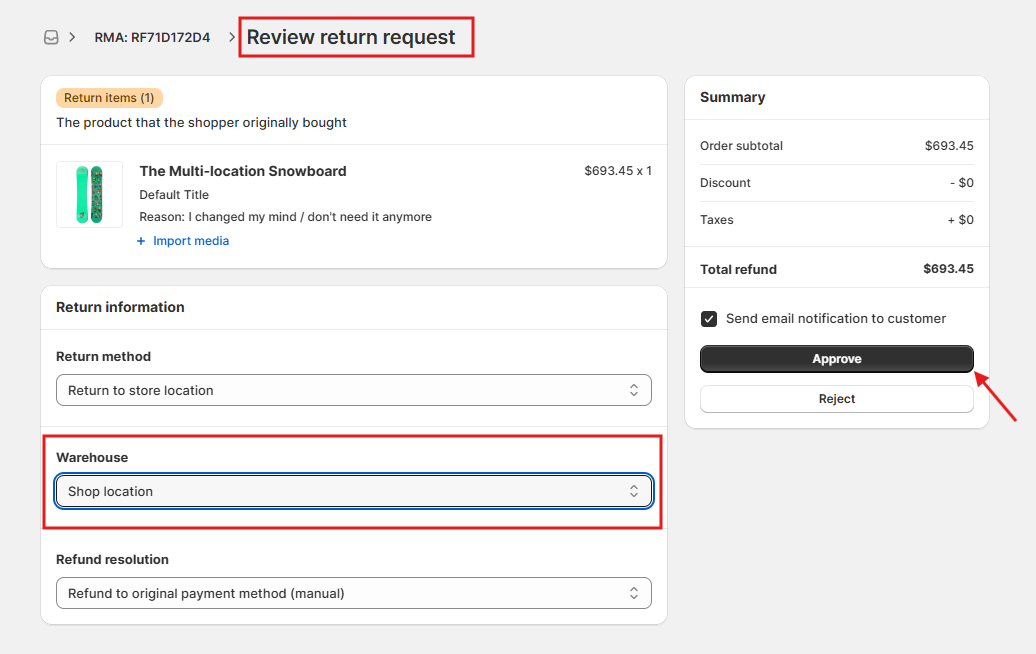
For merchants operating multiple fulfillment centers, Synctrack automatically assigns the correct destination address using condition-based workflows. The app links directly with Shopify Locations, supporting bidirectional syncing, new location creation, and status badges (Synced vs. App only).
Once routed by a workflow, the warehouse is locked to the return and automatically displayed across all customer-facing touchpoints:
Workflow Improvement: Eliminates manual address copying and pasting, cutting shipping errors and preventing expensive cross-docking between facilities.
Abandoned return requests that sit idle in your dashboard can now be closed automatically after a set number of days. The rule scans requests based on submission date and supports extra filters such as return reasons, resolutions, product tags, and customer tags.
To safeguard ongoing transactions, the rule only cancels safe, unfulfilled requests:
Workflow Improvement: Clears inactive return tickets automatically, keeping queue counts accurate and preventing stale return authorizations.
Post-purchase operations directly impact merchant profit margins and operational efficiency. Automating administrative tasks allows scaling Shopify stores to manage higher return volumes with fewer resources.
You can activate these automated controls directly inside your Synctrack admin dashboard in three straightforward steps.
manage locations permission). Select your primary warehouse as Default.Whether you need detailed team accountability on your current plan or advanced routing automation to support multi-warehouse logistics, these updates give your operations team complete control over the return lifecycle.
Ready to streamline your return workflows? Explore Synctrack Returns & Exchanges on the Shopify App Store or contact our team via live chat to get started with Premium automation.






