As a merchant, how many times a day do you find yourself jumping between customer support tickets, fulfillment dashboards, and carrier tracking pages? If you’re nodding your head, we have some incredible news that is about to give you back a serious chunk of your day.
Synctrack Order Tracking now integrates directly with Shopify Sidekick, the AI assistant built right into your Shopify Admin.
Instead of digging through dashboards or searching for tracking numbers, you can now manage and audit your post-purchase shipments using plain, everyday English. You ask Sidekick. Sidekick talks to Synctrack Order Tracking. You get your answer instantly.
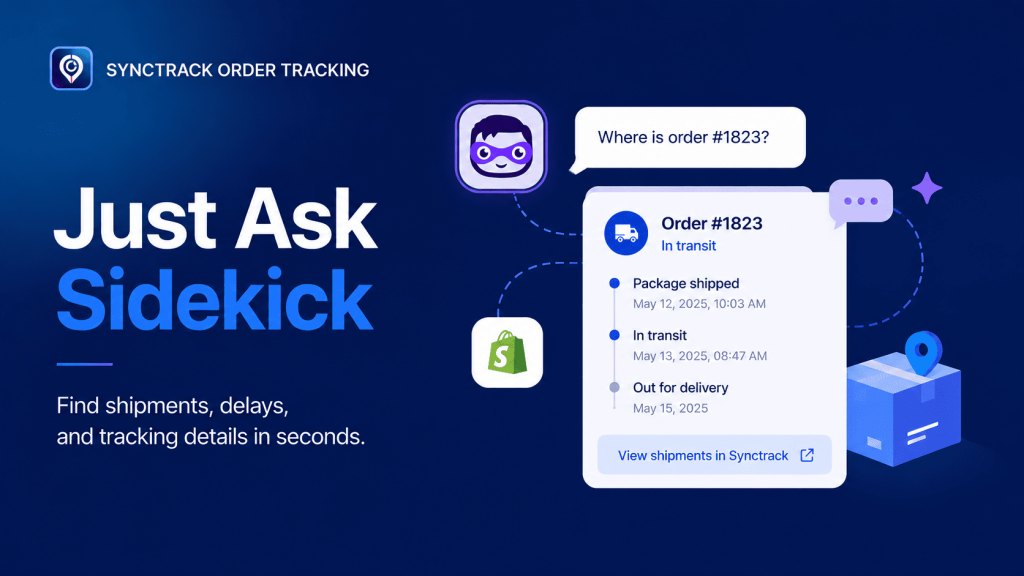
Think of Shopify Sidekick as your personal fulfillment assistant. Whenever a tracking question pops up, Sidekick automatically pulls the data straight from Synctrack (listed as Synctrack OrderTrack inside the assistant) and displays it directly inline within your chat conversation.
Here are the four powerful actions you can run right now:
Want a quick pulse check on today’s fulfillment health? You can ask Sidekick to pull your latest shipments and even filter them by specific fulfillment statuses.
What to ask: “Show my recently delivered shipments” or “List all shipments currently in transit.”
Don’t wait for an angry customer email to find out a package is stuck. Sidekick can automatically surface any shipment that has been stuck in transit for longer than 7 days.
What to ask: “Any delayed shipments?” or “Which orders haven’t moved in over a week?”
Got an order that was split into multiple packages? No problem. Type in the order number, and Sidekick will aggregate and display every single shipment associated with that order.
What to ask: “Where is order #1823?” or “Has order #5678 been delivered yet?”
If you already have a tracking number copied to your clipboard, just drop it straight into the chat box.
What to ask: “Track YT2617500701451676” or “What’s the status of tracking 4481309009?”
We know how carefully you manage your operational costs. That’s why we designed this integration to be entirely merchant-friendly: Queries made through Shopify Sidekick do not count toward your Synctrack Order Tracking quota.
You can ask Sidekick to look up tracking numbers, pull lists, and check for exceptions as many times a day as you want – completely free of charge.
There is absolutely nothing to configure. If you have Synctrack installed (on any plan, from Free to Pro) and Shopify Sidekick enabled in your store layout, you are ready to roll.
Open Shopify Sidekick from any page in your Shopify Admin.
Ask your first tracking question (e.g., “Where is my latest order?”).
Shopify will prompt you with a one-time consent message: “To check your order tracking via Synctrack OrderTrack, I’ll need your permission to access that app’s data. Do you consent?”
Click “Yes, and don’t ask again.”
That’s it! From that moment on, the integration works seamlessly in the background. If you ever need to dive deeper into visual checkpoint histories or carrier scan events, Sidekick will provide a convenient, one-click deep link directly back to the Synctrack dashboard.
Note on Naming: When you’re chatting with Sidekick, it will refer to us by our Shopify App Store listing name: Synctrack OrderTrack.
👉 Check out our detailed guidelines
Ready to Level Up Your Fulfillment Workflow?
No more hunting through tabs. No more endless scrolling. Just data-driven store management powered by AI.






