How much time does your team waste tracking down specific return data? The standard workflow – navigating complex admin screens, tweaking date filters, sorting dense data columns, and exporting CSVs into bloated spreadsheets – is a major drag on operational velocity.
We are eliminating that friction entirely.
Synctrack Returns & Exchanges has officially integrated with the open Model Context Protocol (MCP). This core technical upgrade transforms Synctrack from a static dashboard into an open, data-intelligent ecosystem. You can now plug your store’s real-time return metrics straight into leading AI models like Claude, ChatGPT, Perplexity, and Grok.
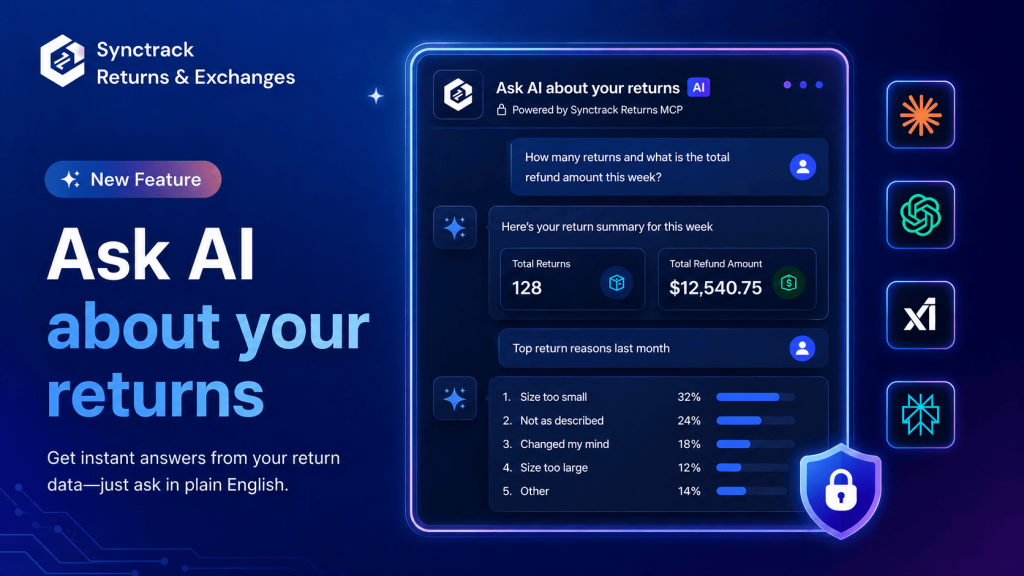
By moving from manual data parsing to a declarative, conversational workflow, your post-purchase operations become significantly leaner:
Once connected, you ask in plain English, and the answer comes back live from your store.
No dashboard, no export, no waiting. Just ask questions like:
💬 “Summarize our total returns and aggregate refund amounts for this week.”
💬 “What were the top three drivers behind our returns last month?”
💬 “List all pending return requests that currently require staff review.”
💬 “Provide a live status update and logistics history for return RDR-1024.”
Setting up your conversational analytics layer requires no developer resources and takes only a few minutes.
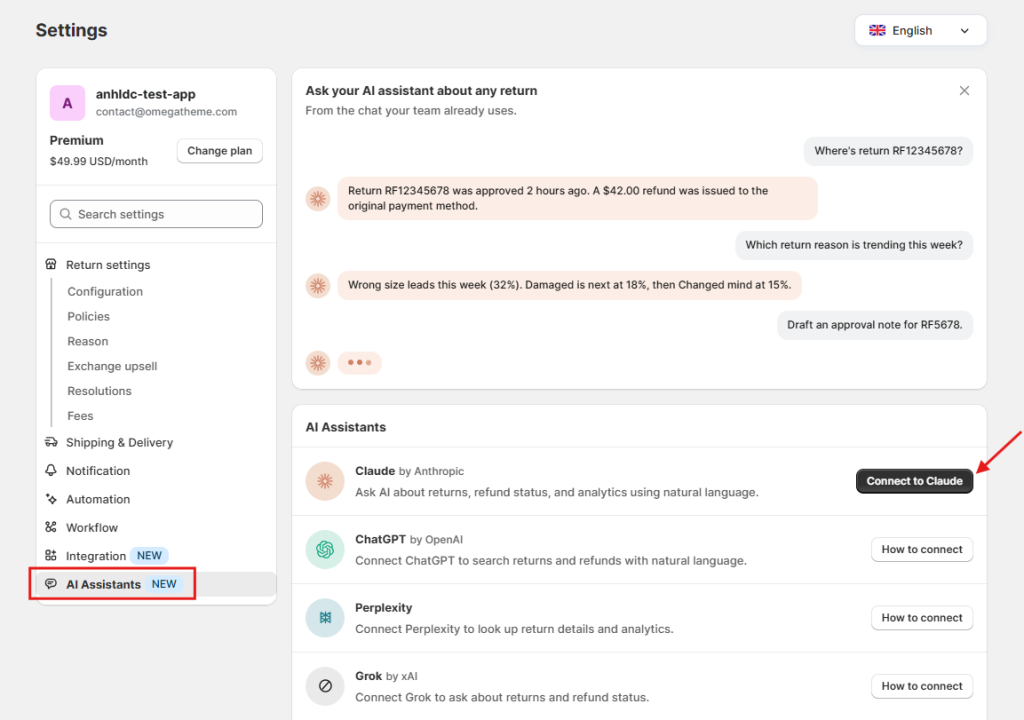
Launch Synctrack Returns from your Shopify admin, and head to Settings > AI Assistants (or Integrations > Claude, depending on your current configuration variant).
Locate the Claude integration tile and select Connect to Claude, which opens an authenticated session tab via claude.ai.
Enter your primary Shopify domain string (e.g., your-store.myshopify.com) and click Continue to Shopify.
Because the connection is built on the unified, industry-standard Model Context Protocol, linking other compatible AI assistants follows a structured manual setup:
Navigate to Settings > AI Assistants inside your Synctrack control panel.
Select your preferred assistant tile and open the explicit How to connect technical documentation links.
Are these AI integrations tied to a specific Synctrack pricing tier?
No. The core MCP connector infrastructure is fully bundled into all Synctrack Returns plans at no extra charge. Note that client-side access requirements depend on your AI platform of choice (for example, utilizing custom tool integrations within Claude requires an active Claude Pro or enterprise seat).
Do I need to manage custom API endpoints or developer credentials?
Not at all. The setup utilizes automated authentication handshakes. You will never be asked to generate, handle, or manually paste sensitive API strings.
Does the AI engine log or train on our transactional customer records?
Absolutely not. Data pipelines run statelessly. The data payload is pulled solely to generate a response to your specific question; it is never cached, stored, or indexed on the assistant’s side. Furthermore, the data scope isolates return metrics (line items, reasons, weights, processing states) and blocks visibility to customer billing details or general sales history.
How do I disconnect?
For automated environments like Claude, navigating to Settings > AI Assistants and clicking Disconnect revokes the session token immediately. For alternative assistants, dropping the custom connector block from your AI client’s localized integrations console closes the pipeline instantly.
Ready to optimize your post-purchase workflow? Open our in-app live chat or reply directly to our team updates, and an onboarding specialist will walk through the configuration with you step by step.