International ecommerce is booming, but nothing kills the post-purchase excitement faster than a tracking page your customer can’t read. When a buyer is eagerly awaiting their package, “Where is my order?” shouldn’t require a trip to Google Translate.
To help you build a truly global, frictionless post-purchase experience, we are thrilled to launch one of our most requested features: Multi-Language Tracking Pages for Synctrack Order Tracking.
You can now automatically translate your branded tracking page into multiple languages, offering your global customers a localized experience that builds trust, reduces “Where is My Order?” (WISMO) tickets, and drives repeat sales.
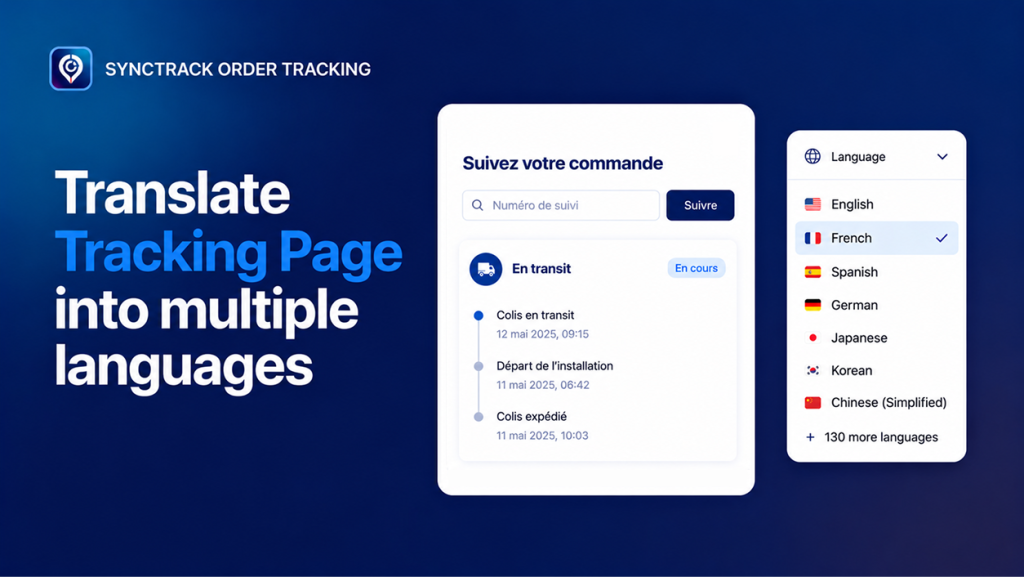
Synctrack Order Tracking doesn’t just translate the static buttons; it localizes the entire tracking journey. The app automatically handles two critical components:
Your Custom Text: Every piece of text you control – form labels, order status names, buttons, and footer links – will adapt to your customer’s language.
💡 Full Creative Control: While Synctrack generates instant automatic translations, you have full veto power. You can review, tweak, and perfect every single line of text manually to match your brand’s unique voice.
We designed the translation workflow to be completely seamless, matching your existing Shopify setup without breaking a sweat.
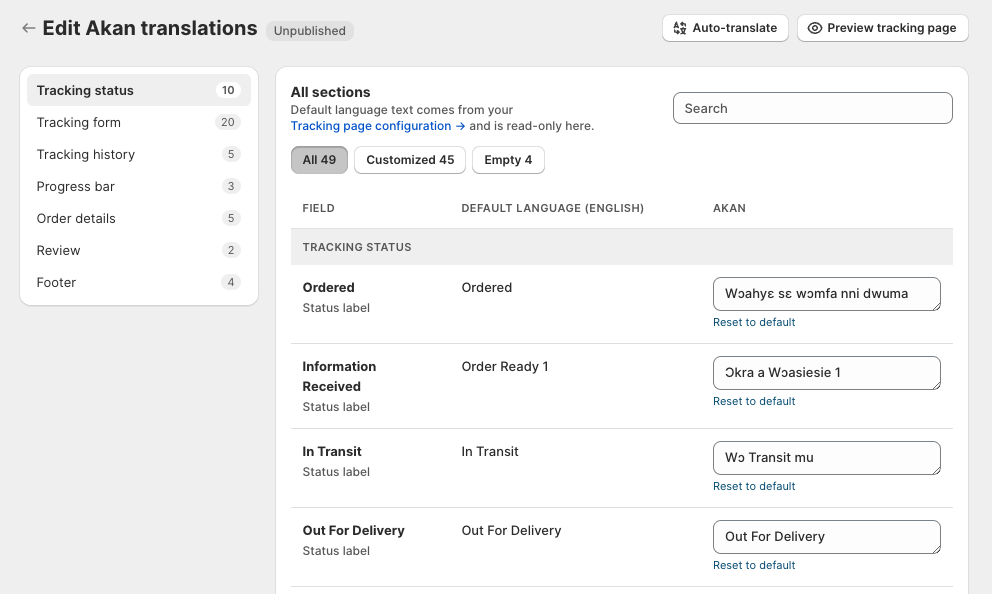
Located under Tracking Page → Languages, the Translation Manager gives you a clean, three-column layout: the field name, your read-only default language text, and the editable target language text.
Smart Fallbacks: If you leave a specific field empty, the page won’t break. It silently falls back to your default language text.
One-Click Auto-Translate: Available on Launch plans and above, you can fill all empty fields instantly with automated translations, leaving your custom edits completely untouched.
How does Synctrack know which language to display? You can choose from five smart detection methods to match your store’s architecture:
| Detection Method | How It Works |
| Shop Locale | Synchronizes directly with the location and language settings of your Shopify store. |
| Shopify Markets | Automatically detects and switches languages based on the visitor’s designated Shopify Market. |
| IP Address | Identifies the visitor’s physical location and switches to the primary language of that region. |
| URL Path | Looks at the URL structure (e.g., [yourdomain.com/de](https://yourdomain.com/de) triggers German). |
| Browser Language | Adapts instantly to the language settings of the customer’s web browser. |
🧩 Pro Tip: If you use Shopify Markets to localize your storefront, select the Shopify Markets detection method in Synctrack Order Tracking. This keeps the post-purchase journey completely consistent with the rest of your store.
Even with solid automatic detection, giving users control is a great safety net. You can toggle on a visible Language Switcher dropdown on your tracking page, allowing visitors to manually pick their preferred language.
Get started in seconds 👉 Follow our detailed guidelines
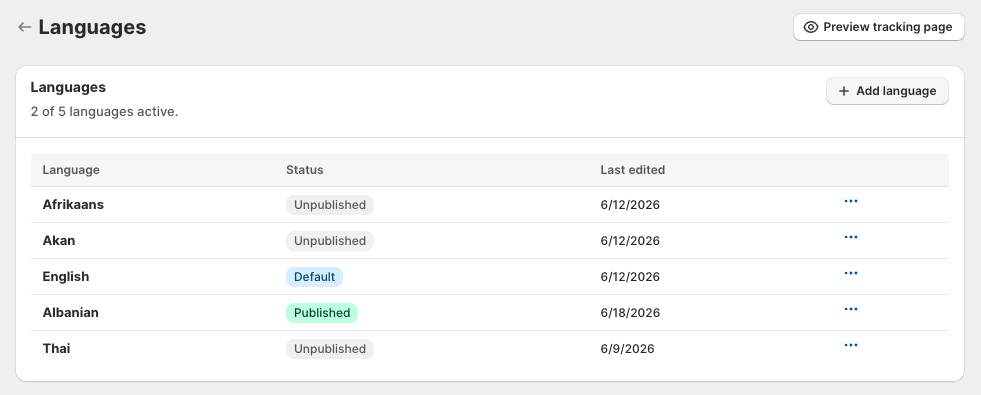
Whether you are dipped into your very first international market or shipping to hundreds of countries daily, there is a tier designed to support your growth volume:
| Plan Level | Supported Languages | Core Translation Highlights |
| Free | 1 Language | Anchored to your shop’s primary default language. |
| Launch | 3 Languages | 1 Default + 2 Expansion markets. Unlocks 1-Click Auto-Translate. |
| Scale | 5 Languages | 1 Default + 4 Expansion markets. Includes full auto-translation tools. |
| Pro | Unlimited | Complete access to all 137 supported languages worldwide. |
Localization isn’t just about translating words – it’s about removing the psychological barriers that cause customer remorse and support overhead. By speaking your customer’s native language when they are at their most attentive post-purchase state, you turn a standard logistical milestone into a retention engine.
With automatic translations and full editing control, you can create a tracking experience that feels truly local while staying consistent with your brand.