Nobody wants to email support to cancel an order they placed two minutes ago.
Yet, on most Shopify stores, that is still the only option. A shopper changes their mind, and the only path forward is a support ticket, an anxious wait, and a tedious back-and-forth over something that should take a single click.
For your support team, it’s a race against the clock to catch the order before it hits the warehouse. For your customers, it’s a frustrating friction point.
Today, we just shipped a fix: Self-serve order cancelation in Synctrack Returns & Exchanges.
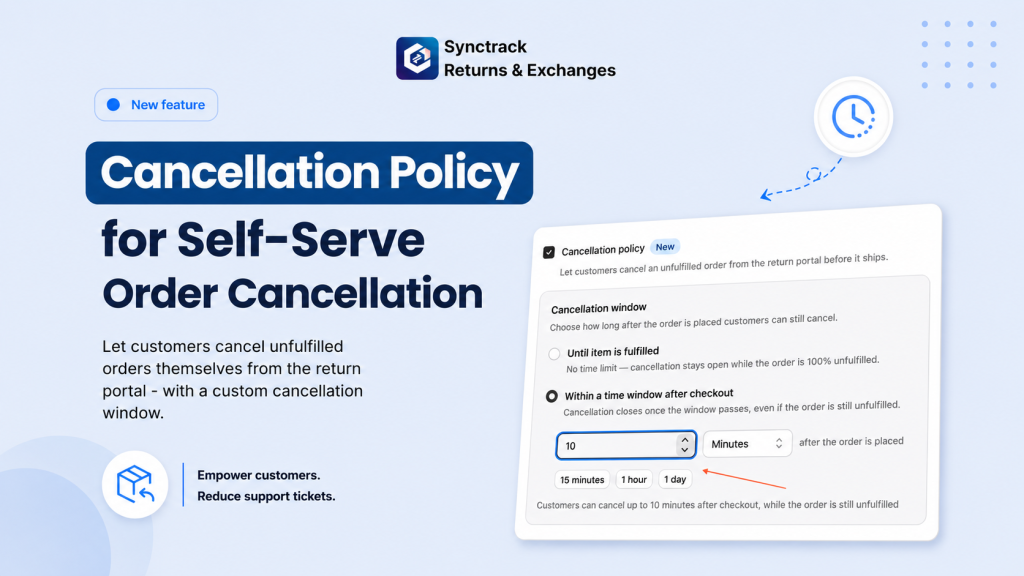
You can now let shoppers cancel eligible orders directly from your return portal before the order is fulfilled.
It is built for those everyday human moments: someone clicked the wrong size, selected the wrong color, autofilled the old shipping address, or simply changed their mind. Instead of panicking and clogging your inbox, they can now fix their own mistakes in seconds.
The best part? You stay in total control.
[Customer Mistakes] ➡️ [Self-Serve Portal] ➡️ [Instant Cancelation] = 0 Support Tickets
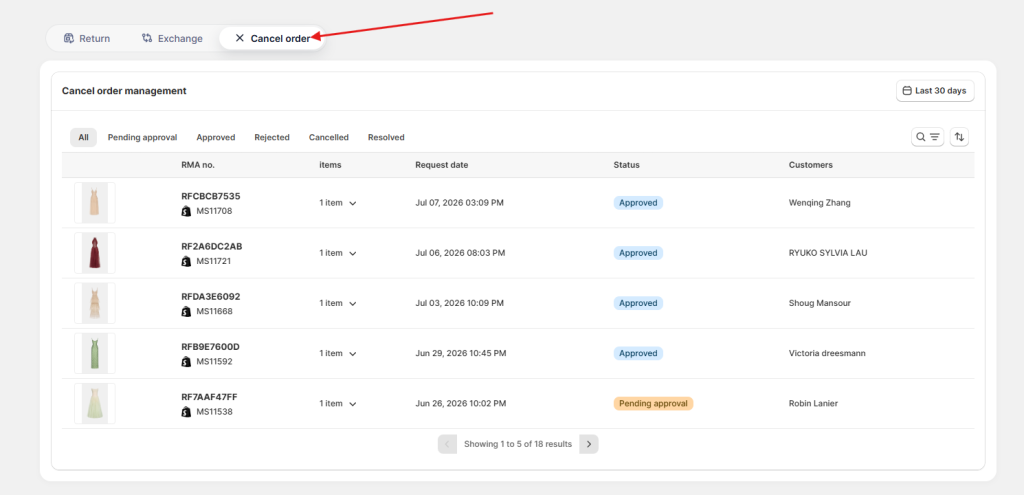
We know that every ecommerce operation runs on a different schedule. That’s why we built this feature with maximum flexibility, allowing you to line up the cancelation window with your actual fulfillment timing.
In your settings, you decide exactly when cancelations are allowed:
Why this matters: Orders can only be canceled while it is still safe to do so. You’ll never have to worry about a customer canceling an order that your team has already packed, labeled, and loaded onto the delivery truck.
We’ve made the setup incredibly straightforward. No Shopify re-authorization or extra permissions are required – everything runs seamlessly inside Synctrack Returns.
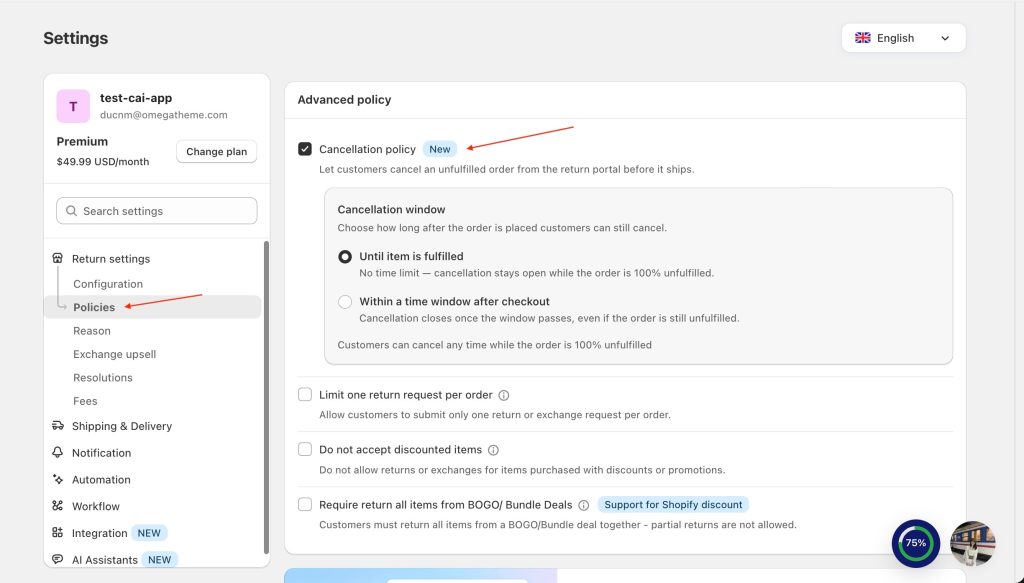
Navigate to Settings > Policies > Advanced policy in your Synctrack dashboard.
Check the box for Cancellation policy.
Choose your preferred cancelation window (e.g., Until item is fulfilled or Within 30 minutes).
Click Save.
(Note: If you previously had the “Allow return requests for unfulfilled orders” setting enabled, this feature is already turned on for you automatically!)
Great news: Self-serve order cancelation is available on all plans (Starter and above) starting today!
Fewer tickets, less manual work, and a smoother experience for your buyers. That is a trade-off every Shopify merchant wins.
Ready to slash your support volume? Head over to your Synctrack Returns dashboard and turn on your cancelation policy today.






