Nothing hurts the post-purchase customer experience quite like “refund shock.” You know the scenario: a customer returns an item, expects a full refund, but receives a smaller amount because return shipping fees were deducted behind the scenes. They are left asking, “Why did I receive less money than expected?”
To help Shopify merchants eliminate this friction, Synctrack Returns & Exchanges is launching a highly anticipated update: Clear Prepaid Return Label Fees.
Now available on the Starter Plan, this feature gives you complete control over who pays for return shipping and lets you display transparent, upfront cost estimates to your shoppers before they submit their return.
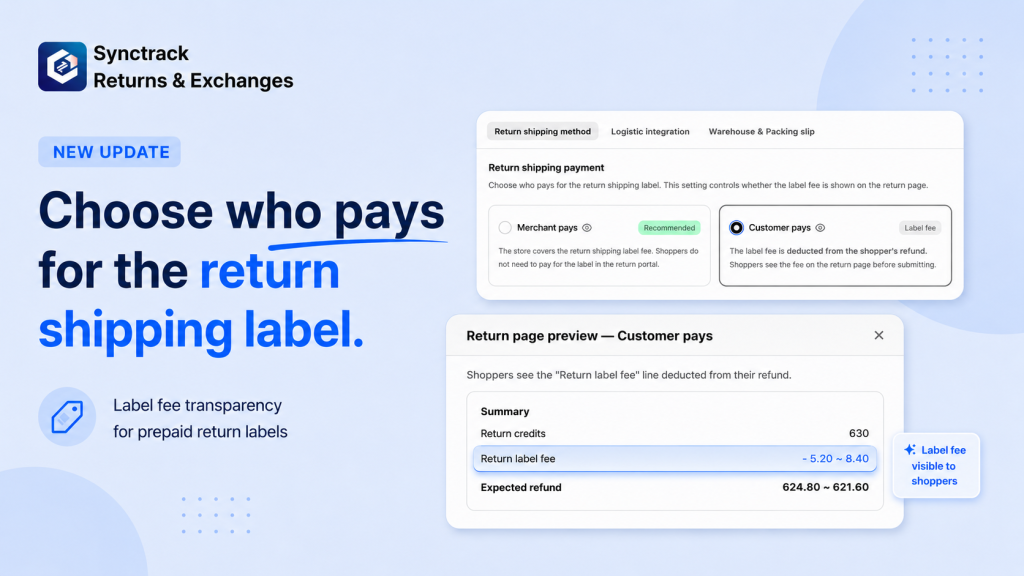
If your store policy requires customers to cover return shipping, they will now see a “Return label fee” line on the review page before submitting.
⚠️ Important Setup Note: To show this estimated range to shoppers before they submit, you must have an active automation rule that auto-selects the cheapest or fastest carrier. Without this automation, the fee will only appear after you manually approve the request and generate the label.
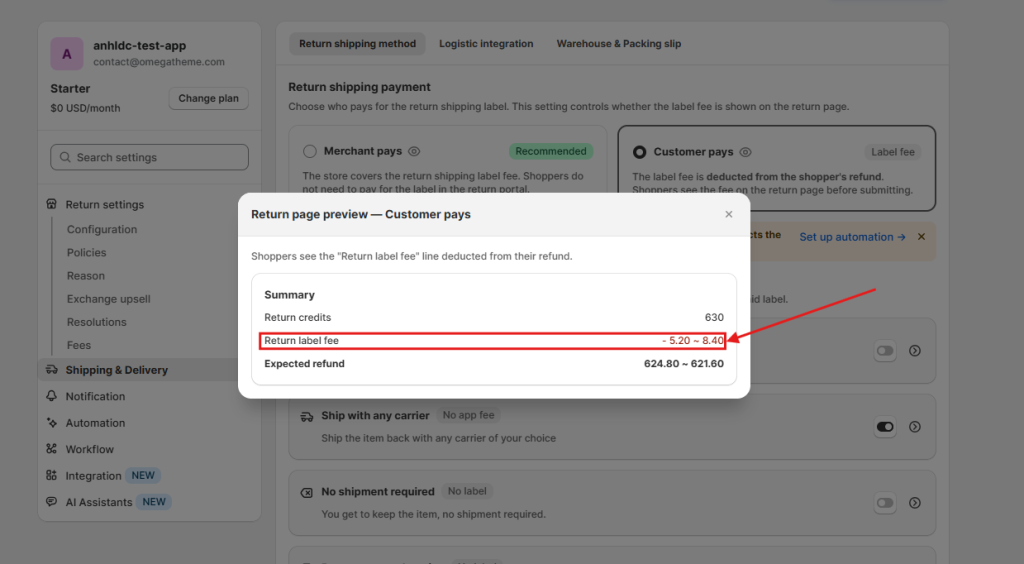
At the top of your Return shipping method tab, you can easily toggle who covers the label cost:
The setup screen features a handy badge on the “Ship with pre-paid label” method (updating to “Paid by store” or “Paid by customer”) so you can verify your settings at a glance. You can also click the eye icon to preview exactly what your shoppers will see.
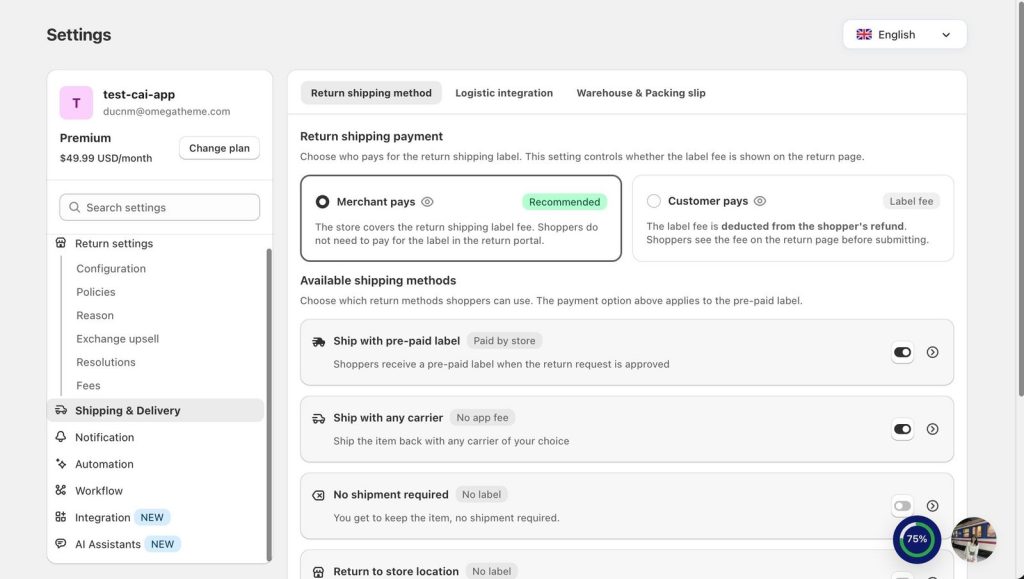
To make your portal even more user-friendly, you can now fully customize the Display Title, Display Description, and Instructions for each active shipping method. This ensures your shoppers understand their options clearly, reducing support tickets.
Configuring this feature in your Synctrack Returns admin takes less than two minutes:
Go to Settings > Shipping & Delivery > Return shipping payment (or Settings > Shipping method).
Select either Merchant pays or Customer pays. If choosing Customer pays, click the “Set up automation” link to ensure your carriers are configured to auto-select rates for live estimation.
3. Customize and Save
Our team is ready to help you set up your new prepaid label fee displays or configure automation rules. Reach out to us via live chat inside the Synctrack admin or reply directly to our product emails. We’d be happy to walk you through it!






