Edit return requests after submission with Synctrack Return & Exchange
22 October, 2026
Sharing:
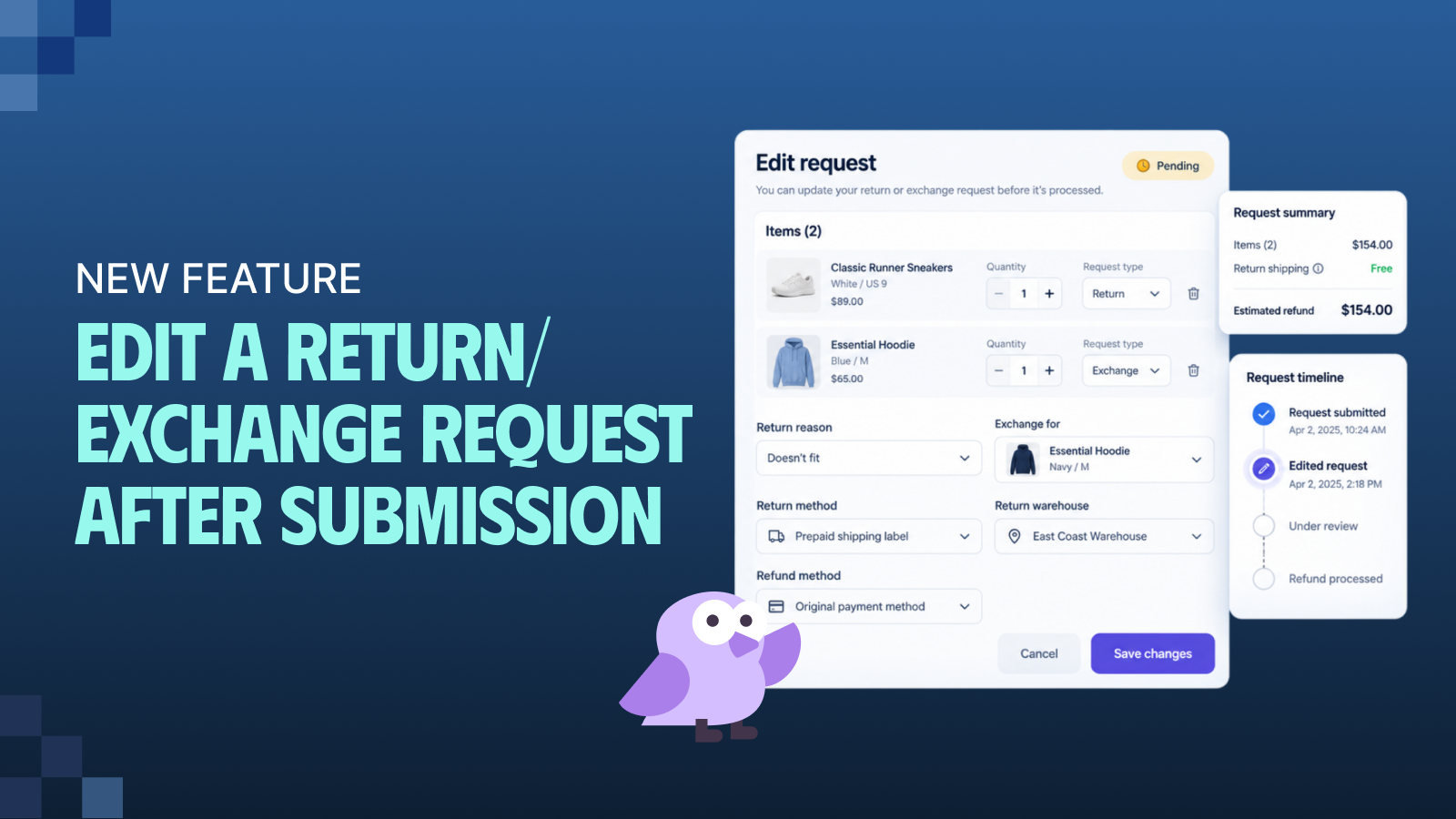
When a customer submits a return with the wrong item, size, or reason, fixing it shouldn’t require canceling the entire request. Previously, starting over meant burning double the quota credits, inflating your cancellation reports, and risking customer drop-off – especially if their return window was closing.
To solve this, we are introducing the ability to edit submitted return and exchange requests directly within Synctrack Return & Exchange. This update streamlines your support workflow, keeps your data clean, and allows your customers to correct their own mistakes before processing begins.
Seamlessly Edit Active RMAs and Exchange Orders
We have completely overhauled how pending and approved requests are handled. Instead of forcing a cancellation, you can now modify the details of an active RMA while preserving the original request number and processing history.
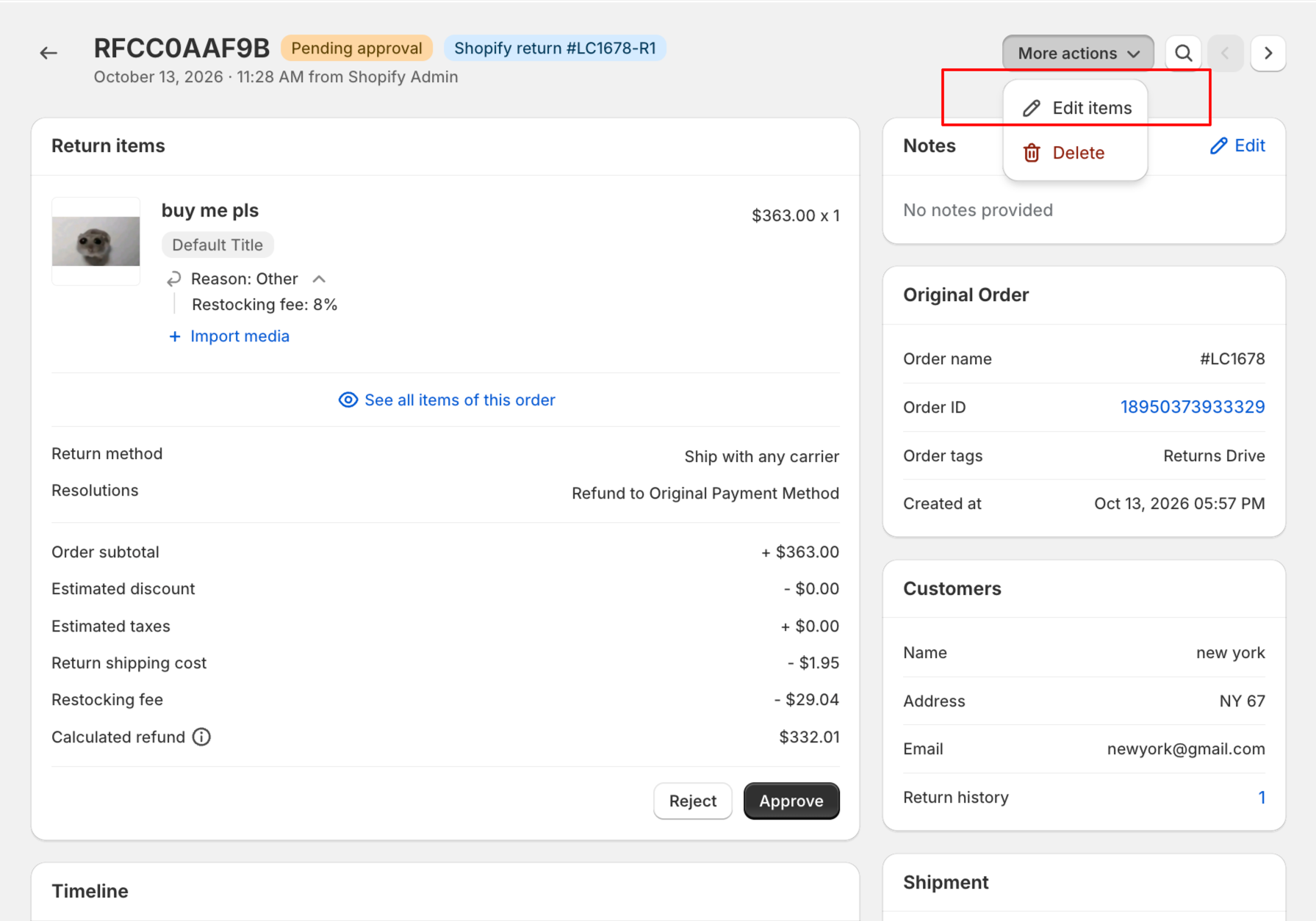
Merchant Request Editing: Edit pending or approved requests directly from the request detail page. Modify items, quantities, or return reasons without canceling.
Total Flexibility: Change return methods, warehouses, or refund methods. You can even convert a return into an exchange, or vice versa.
Automated Sync: Synctrack instantly recalculates refund amounts and fees. It also seamlessly updates the existing Shopify return to match.
Workflow Improvement: Preserve original RMA numbers while saving the quota credits previously wasted on canceling and recreating requests.
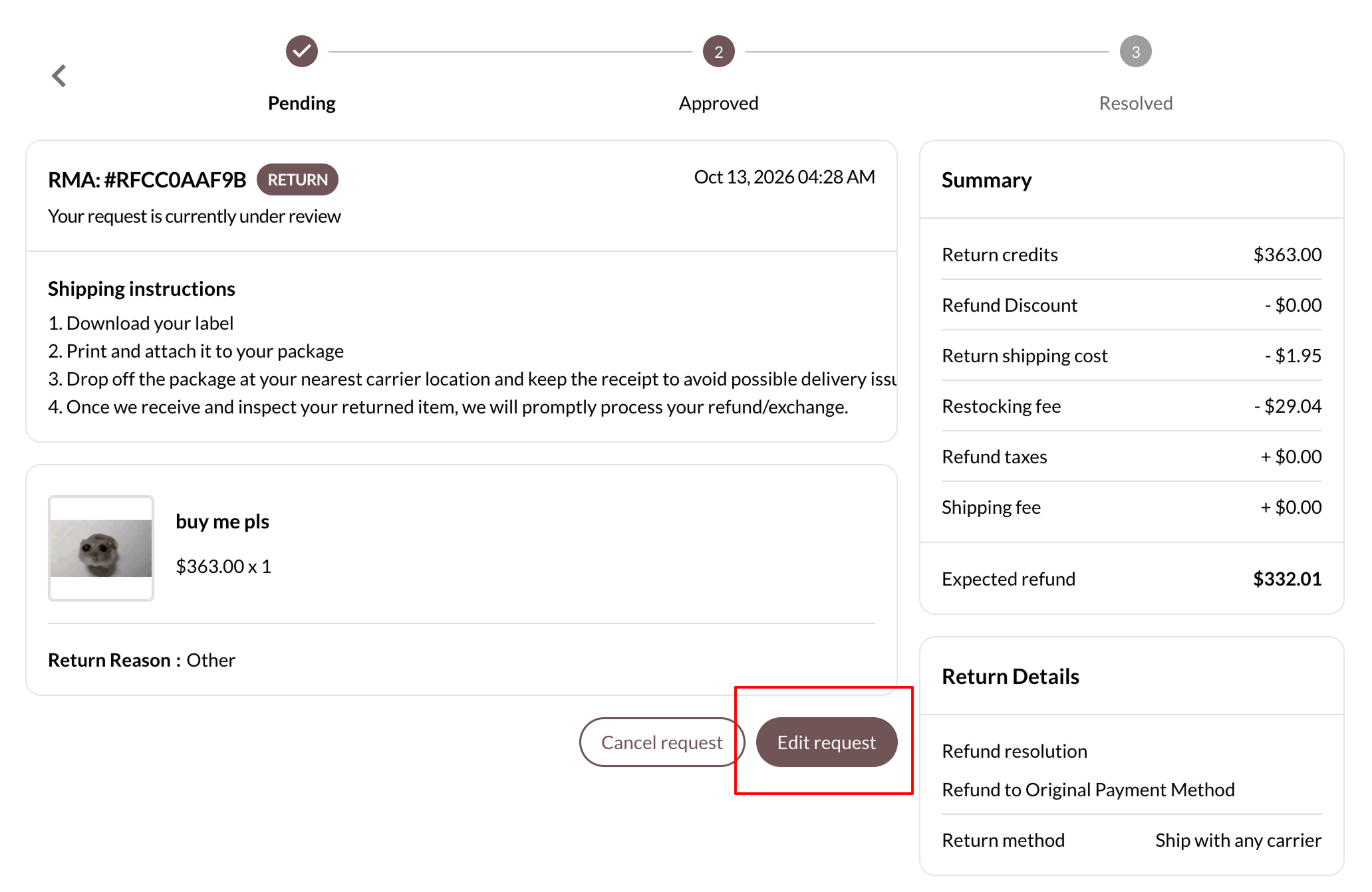
Customer Self-Service Editing: Toggle “Allow customers to edit their request” in settings. Shoppers can now fix their own mistakes via the Return Portal while a request is still pending.
Workflow Improvement: This drastically reduces support tickets and removes the friction that causes customers to abandon complex exchanges.
Cut Operational Costs and Deflect Support Tickets
Managing ecommerce returns is already a complex process, and this update removes one of the biggest administrative bottlenecks for both your staff and your shoppers.
Lower Operational Costs: Stop burning extra Synctrack quota on simple customer errors.
Cleaner Data: Prevent artificially inflated cancellation and request counts. Your return reports stay completely accurate.
Reduced Support Workload: Empower customers to fix mistakes themselves in a few steps. This means fewer emails and live chats for your support team.
Automated Notifications: Customers automatically receive a customizable “Request edited” email whenever changes occur. Everyone stays aligned without manual staff intervention.
How to Enable Return Request Editing in Synctrack
Editing capabilities are available on the Professional, Premium, and Enterprise plans. Here is how you can start using this feature to smooth out your return and exchange workflows today.
Edit as a Merchant: Go to the request detail page of any Pending or Approved request and click Edit items. Ensure staff members have the new “Edit request” permission enabled.
Enable Customer Editing: In your Return settings, locate the customer options group. Toggle on Allow customers to edit their request.
Review Email Templates: The new “Request edited” email template is enabled by default. It lists what changed and shows the current state of the request.
Mistakes happen, but fixing them shouldn’t disrupt your workflow or inflate your costs. By enabling request editing in Synctrack, you empower your shoppers to manage their own corrections, freeing up your support team to focus on high-value interactions.
Stop wasting quota on canceled requests and start delivering a frictionless, self-service return experience today.
Black Friday / Cyber Monday
🔥 BFCM Special Lifetime Offer
Upgrade or extend your plan during Black Friday / Cyber Monday to lock in lifetime promotional pricing: