A single exchange bonus treats every shopper the same. A customer returning a small order gets the same incentive as one with a large basket, so you either overpay on small returns or underpay where keeping the sale matters most.
Synctrack Returns now lets you create several exchange bonus credit rules. Each rule has its own reward and conditions, so you can give a stronger incentive where retaining the sale matters most, without offering the same bonus to everyone.
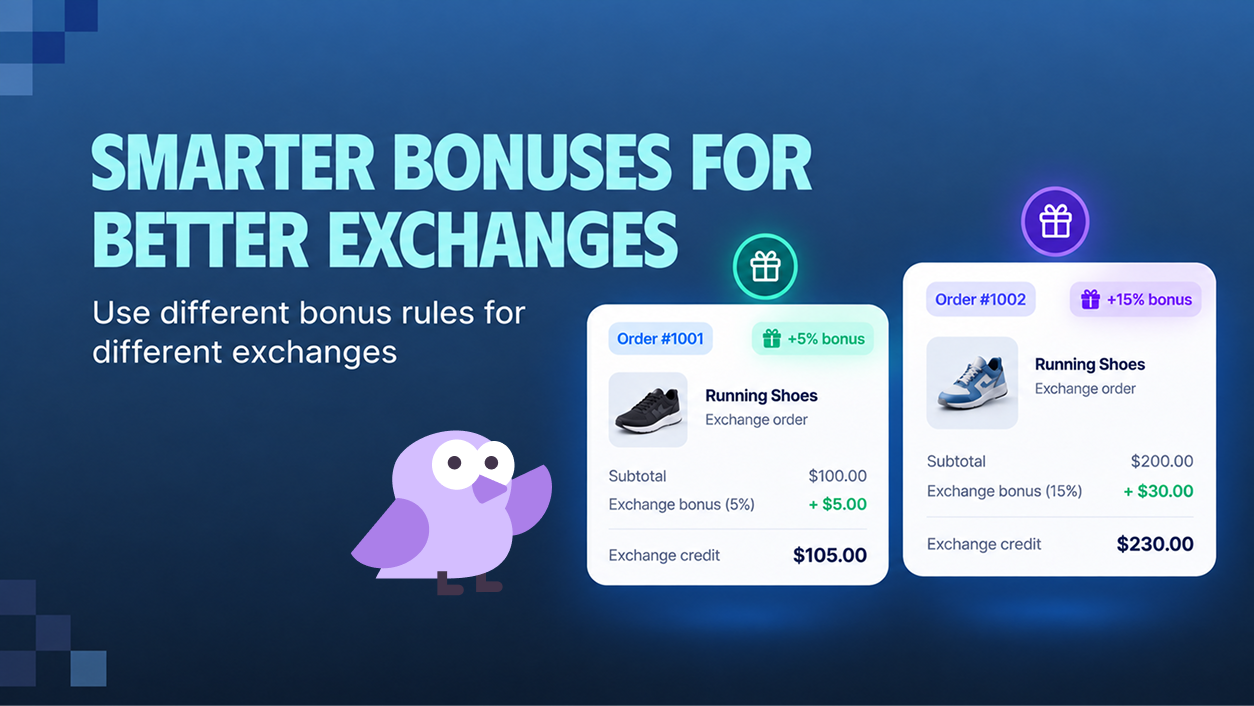
Previously, Bonus Credit for Exchange offered one bonus level with limited targeting. Now each rule can have its own:
For example, you could offer 15% for higher-value orders and 5% for smaller orders. Synctrack checks your rules from top to bottom, so each return uses the first rule it matches.
Multiple exchange bonus rules are available on the Professional plan and above.
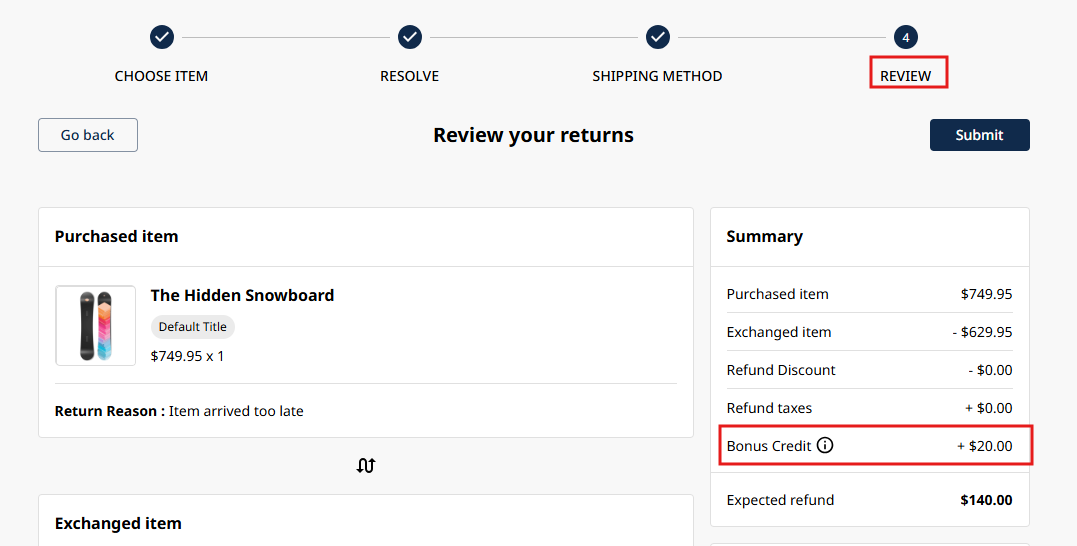
Synctrack calculates the bonus for each returned item, based on the item and its return reason. Each item is checked against your rules from top to bottom, and the first matching rule decides the bonus:
Rules don’t stack, so put your most specific rules at the top.
The bonus appears in the Return Portal as soon as shoppers choose their items and return reasons, before they pick a return method. Shoppers see the amount before they decide how to resolve the return. If the bonus can’t be calculated, they can still submit the exchange without it.
Besides return reason, a rule can use these conditions: order paid amount, return item quantity, Shopify market, return sub-reason, return value, return shipment from, product collection, product tag, product type, product SKU and customer return count.
Return shipping method, return resolution and request type are not available for bonus rules, because they describe the whole request rather than a single item. A rule without conditions applies to every exchange.
You’ll find these settings under Settings -> Exchange incentives.
The card header shows ON when at least one rule is on.
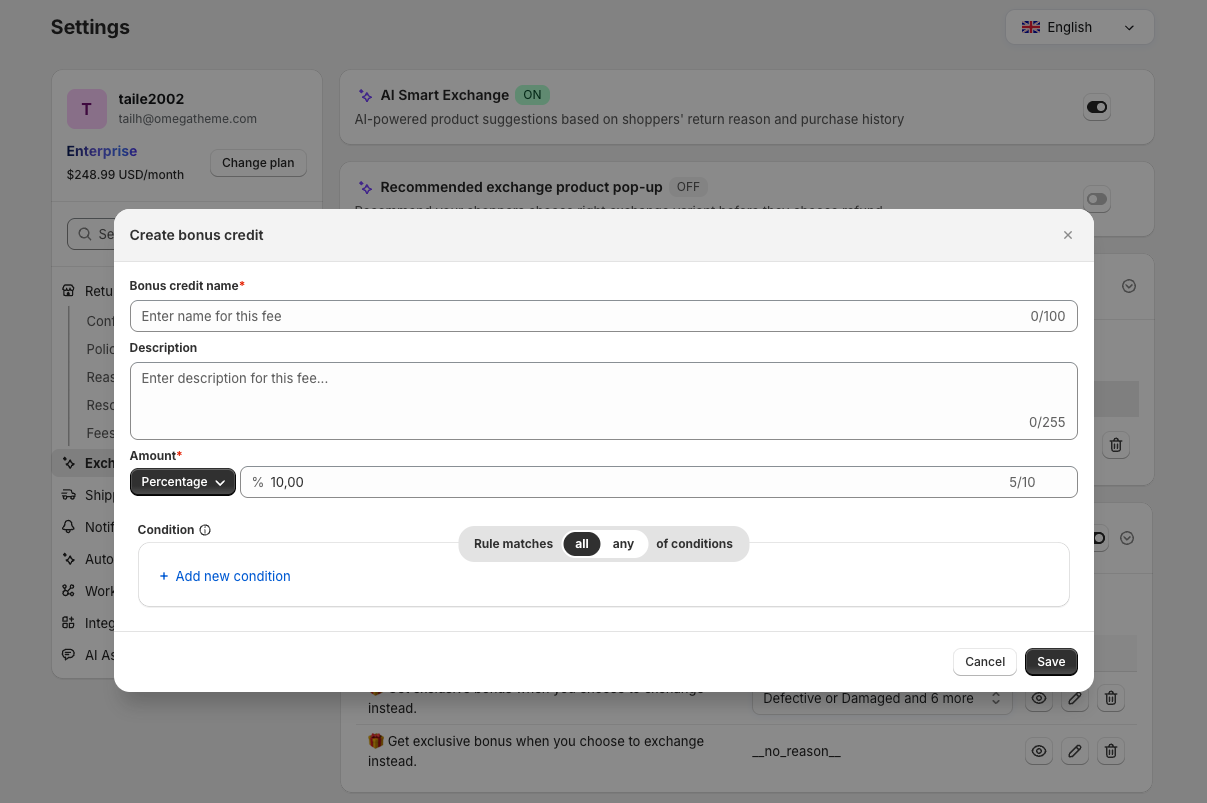
You don’t need to redo a bonus credit setup from before this update. Your existing bonus was moved into one rule with the same amount and return reason condition. Bonus amounts are now managed only in Settings -> Exchange incentives, and the Return page preview shows your first rule.
Create two rules to begin with, one for higher-value orders and one for smaller ones. Check the result in the Return Portal before you rely on it for every shopper, and adjust the order of your rules as your return patterns change.
Create rules with their own rewards and conditions. Available on the Professional plan and above.