Every online seller dreads the same email: a customer has opened a case against one of your orders. You’re now inside the PayPal dispute process, and the next few days will decide whether you keep your money or lose it. The good news? It’s not a mystery once you know how it works. This guide breaks it down from both sides, covering the difference between a dispute, a claim, and a chargeback, how long each takes, what fees sellers pay, and how to win a case or prevent one. Whether you’re a buyer chasing a refund or a merchant protecting your sales, you’ll know exactly what to do.
Contents
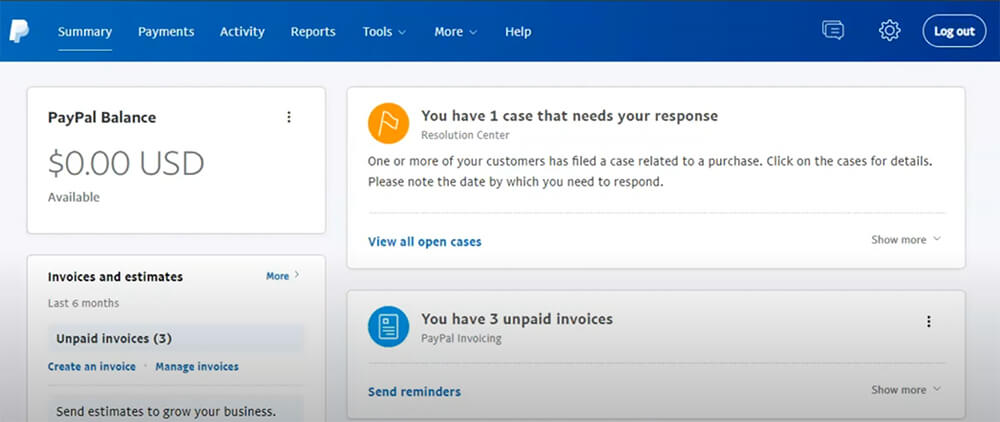
A PayPal dispute is the first step a buyer takes when something goes wrong with an order. Maybe it never showed up. Maybe it looked nothing like the photos. Maybe there’s a charge the buyer never made. Instead of going straight to the bank, the buyer files a complaint in PayPal’s Resolution Center. That’s where buyers and sellers message each other, share proof, and try to fix the problem together.
This helps both sides. Buyers get a clear way to get their money back after a bad purchase. Sellers get a chance to respond, show the item was delivered, and stop a bank from reversing the charge out of nowhere. With approximately 431 to 439 million active accounts globally- including over 35 million active merchant accounts as of late 2025 – PayPal sees these cases every single day.
For sellers, it pays to know this stuff early, especially because PayPal actively monitors your dispute rate (the ratio of claims and chargebacks compared to your total sales over the past three months). If your dispute rate climbs to 1.5% or higher, PayPal will hit you with a High Volume Dispute Fee – doubling the standard penalty from $15 to $30 per dispute. Beyond the fees, maintaining a high dispute ratio can trigger account limitations or even a permanent ban. Learning the rules, deadlines, and fees ahead of time is what stands between keeping your money and losing it for no good reason.
Merchants ask this more than almost anything else. People use these three words like they mean the same thing. They don’t. Each one has its own process, decision-maker, and cost.
| Aspect | PayPal Dispute | PayPal Claim | Chargeback |
| Who decides | Buyer and seller | PayPal | Bank / card issuer |
| Filing window | 180 days from payment | Within 20 days of dispute | 60–120 days from transaction |
| Resolution time | 20 days max | 14–30 days | 30–75 days |
| Fee to seller | None | $15 standard / $30 high volume | $20 chargeback fee |
| Seller Protection | N/A | Yes (if criteria met) | Partial |
| PayPal involved | No | Yes | No (bank decides) |
This is the first and most informal stage. The buyer opens a case in the Resolution Center, and both sides get 20 days to message each other and work it out. PayPal stays out of it and doesn’t pick a winner. The buyer might want a refund, a replacement, or a return. The seller can agree, make a counteroffer, or push back. If they reach a deal, the case closes. If nothing happens in 20 days, it closes too. Just remember: a closed dispute can’t be reopened.
A claim is what a dispute becomes when it’s escalated. Either side can escalate during the 20-day window. For an “Item Not Received” case, PayPal usually wants 7 days to pass since the payment was first made. Now PayPal acts as the judge. Both sides may need to share evidence like tracking numbers, photos, or messages. PayPal reviews everything and makes a final call. Most claims end within 14 days, but tricky ones can take 30 days or more.
A chargeback skips PayPal completely. The buyer goes straight to their bank or card company (Visa, Mastercard, Amex) and asks them to reverse the charge. The card company decides, not PayPal. Chargebacks take longer, often 30 to 75 days. Sellers also lose more often, since the buyer’s own bank makes the call. They cost more too. A chargeback adds a $20 fee on top of the reversed payment, and you pay it even if you win.
Buyers can open a dispute for four main reasons. Each has its own rules.
Item Not Received (INR) is the most common. The buyer paid, but the goods never came. They have 180 days from payment to file. Sellers fight these with tracking numbers and delivery proof.
Significantly Not as Described (SNAD) means the item arrived, but it’s clearly not what was promised. Wrong size, wrong color, a fake, or a hidden defect. The deadline is 30 days from delivery or 180 days from payment, whichever comes first.
Unauthorized Transaction means the buyer says someone made the payment without their knowledge, usually from a hacked account. PayPal treats these as urgent, so buyers should report them right away.
Billing Errors cover duplicate charges, wrong amounts, or subscription mix-ups. They follow the same process as the others.
Across every type of store, “Item Not Received” and “Unauthorized Transaction” stay the two most common reasons buyers file.
Fees confuse merchants more than anything else. Here’s how they work.
The Standard Dispute Fee: $15. PayPal charges $15 when a buyer escalates to a claim and the seller loses. PayPal charges a standard $15 fee when a dispute is filed. However, this amount is determined entirely by your account’s dispute rate, not the transaction value. If you maintain a healthy track record, you stay on the standard $15 tier. But if your dispute ratio climbs too high (1.5% or more over the previous three months), PayPal categorizes you as a high-risk merchant and hits you with the High Volume Dispute Fee, doubling the penalty to $30 per dispute.
The High-Volume Dispute Fee: $30. This one catches sellers off guard. If your dispute rate goes above 1.5% over three months, and you had more than 100 sales in that time, PayPal moves you to the high-volume tier. The fee doubles to $30 per dispute, and you pay it even when you win. PayPal figures your rate by dividing your disputed claims by your total sales over three months. So $5,000 in disputes on $100,000 in sales is a 5% rate, far past the 1.5% line.
The Chargeback Fee: $20. When a buyer goes to their card company instead, the card company can force the payment back. PayPal then charges you $20. Unlike the dispute fee, this one isn’t waived even when Seller Protection would normally apply.
| Fee Type | Amount | When It Hits |
| Standard Dispute Fee | $15 | Applied when a buyer files a dispute and the seller loses. (If the seller wins, this fee is waived/refunded). |
| High Volume Dispute Fee | $30 | Applied when a seller’s dispute rate reaches 1.5% or higher in the previous 3 months. This fee is non-refundable and charged regardless of the outcome (whether you win or lose). |
| Chargeback Fee | $20 | Applied when a buyer bypasses PayPal and files a reversal directly with their credit or debit card issuer. |
| Chargeback Protection | 0.40% per transaction | An optional feature. If enabled and the criteria are met, PayPal waives the chargeback fee and covers the disputed amount. |
| Standard Dispute Fee | $15 | Applied when a buyer files a dispute and the seller loses. (If the seller wins, this fee is waived/refunded). |
The fees are only part of the pain. The 2024 Chargeback Field Report by Chargebacks911 and Edgar, Dunn & Company found that the average online merchant loses $3.60 for every dollar lost to fraud, once you add up processing fees, lost inventory, shipping expenses, and other administrative costs.
You already know that verified tracking numbers are the ultimate weapon to win a PayPal dispute. But getting that tracking into PayPal is its own headache. Manually copying and pasting tracking details across dozens of orders every day eats up hours. Worse, if you forget an order, mistype a digit, or select the wrong carrier, you leave yourself completely exposed to “Item Not Received” claims and sudden account limits.
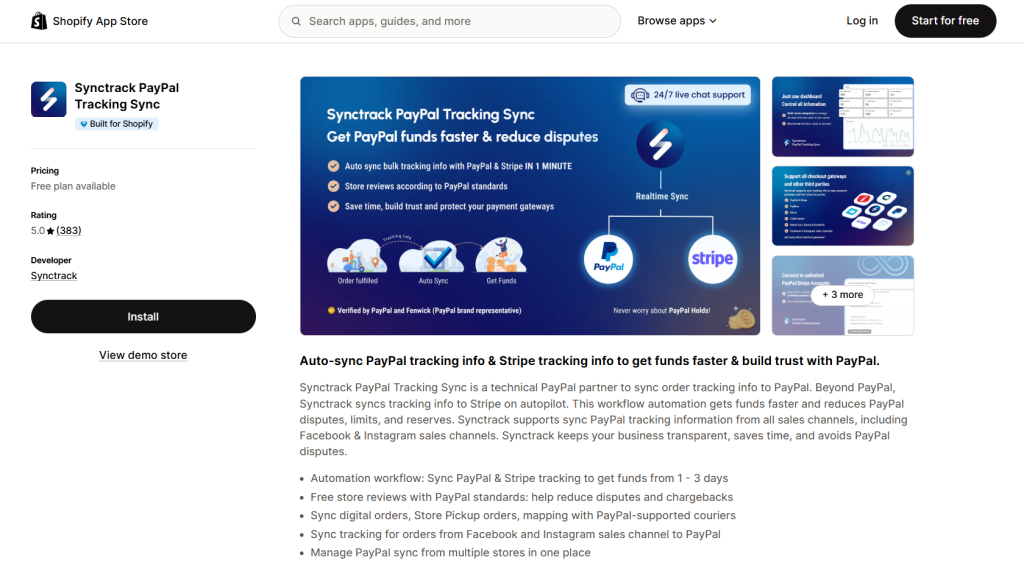
The best way to handle disputes is to prevent them from happening in the first place – and automate your defense when they do. That is exactly what Synctrack PayPal Tracking Sync does.
Synctrack is an automation tool that sends your order tracking directly to PayPal and Stripe the second an order ships. No copying, no pasting, and zero manual work. Here is how it protects your store and your cash flow:
Pricing is simple. The Free plan covers 30 synced orders a month with basic automation. Basic ($8.99/month) handles up to 500 orders and adds Stripe sync and dispute management. Pro ($15.99/month) covers 6,000 orders with advanced rules. Unlimited ($39.99/month) gives you unlimited syncing, multi-store support, and dedicated infrastructure.
Instead of manually chasing tracking numbers, risking higher dispute ratios, and watching your funds sit on hold, you can set Synctrack up once and let it run. You get your money faster, face fewer disputes, and keep your payment gateways healthy – freeing you up to focus on parts of your business that actually grow it.
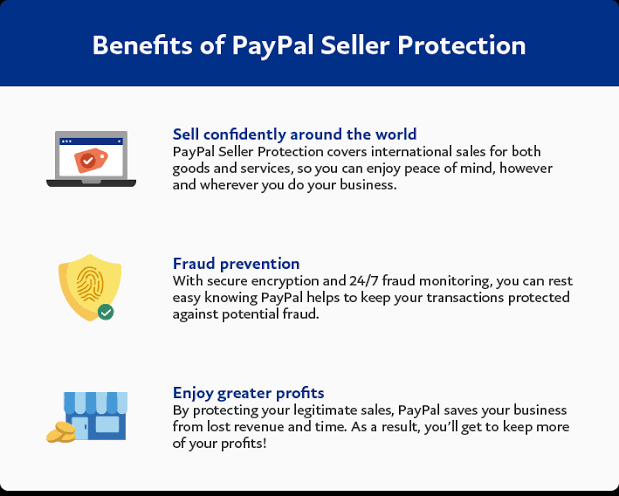
Seller Protection is a PayPal policy that can let you keep the full payment and skip the chargeback fee on eligible orders, even when a buyer files a dispute or starts a reversal.
What it covers. It can apply to Unauthorized Transaction claims, where the buyer didn’t approve the payment and it happened in a PayPal environment. It can also cover Item Not Received claims. One exception: as of January 16, 2024, INR claims that come from chargebacks on card payments no longer qualify.
What you need to qualify. Ship to the address on the PayPal transaction page, provide proof of shipment or delivery, ship within your stated handling time, and keep your account in good standing.
What it doesn’t cover. Items handed over in person, digital goods and licenses, anything like cash (gift cards, vouchers), and payments through PayPal Direct or Virtual Terminal.
For buyers and sellers alike, one thing decides most claims: the quality of your evidence.
What PayPal looks for from sellers. Send specific proof, on time, and in order. In an INR case, the strongest piece is a tracking number showing the package reached the buyer. Signature confirmation helps, especially for pricey items. Dated photos taken before shipping fight SNAD claims by showing the real condition. Message logs add context, like any note where the buyer agreed to terms or said they were happy. Screenshots of your return and shipping policies prove you set clear expectations. The worst move is ignoring the dispute. When a seller doesn’t respond and the buyer escalates, PayPal usually rules for the buyer within 10 days.
How buyers build a strong case. File early, well inside the 180-day window. Document the problem with photos or videos. Keep every message in the Resolution Center. Escalate before the 20-day window closes. And send any tracking or return proof the seller asks for.
The friendly fraud problem. Not every dispute is honest. Friendly fraud happens when a customer disputes a real purchase to get a free product or double their money. It’s growing fast. 79% of merchants reported it in 2024, up from 34% in 2023. Online chargeback rates jumped 222% between early 2023 and early 2024. Merchants who fight every dispute with solid proof, instead of just eating the loss, keep the damage under control.
No. PayPal uses a strict 180-day cutoff from the payment date, and a closed dispute can’t be reopened.
A closed dispute can’t be reopened or escalated. Before you close one, make sure the fix actually works for you.
Yes. Either side can escalate a dispute to a claim when they think PayPal needs to step in.
Yes. You have 10 days after a decision to send new evidence and ask for a review. If that fails, some merchants try arbitration or small claims court.
Mistakes happen in online selling. An order goes missing, a buyer feels let down, and suddenly you’re in the middle of the PayPal dispute process. The difference between keeping your money and losing it usually comes down to how ready you are. Move fast, keep your records clear, and treat the Resolution Center as a place to fix problems instead of a battle to win. Do that, and most cases work out fine for everyone. Better yet, focus on the things that stop disputes before they start: honest listings, quick replies, and clear communication with every customer. That’s how you protect your store and keep selling with confidence.