Returning an online order is a pain: find a box, look up the address, pay for shipping, then wait and hope. A prepaid return label fixes that. And it matters more than you’d think, since 67% of shoppers check the return policy before they buy. Get returns right, and you win trust, repeat sales, and loyalty. Get them wrong, and customers walk. Here’s how prepaid return labels work, what they cost, and how to use them without losing money.
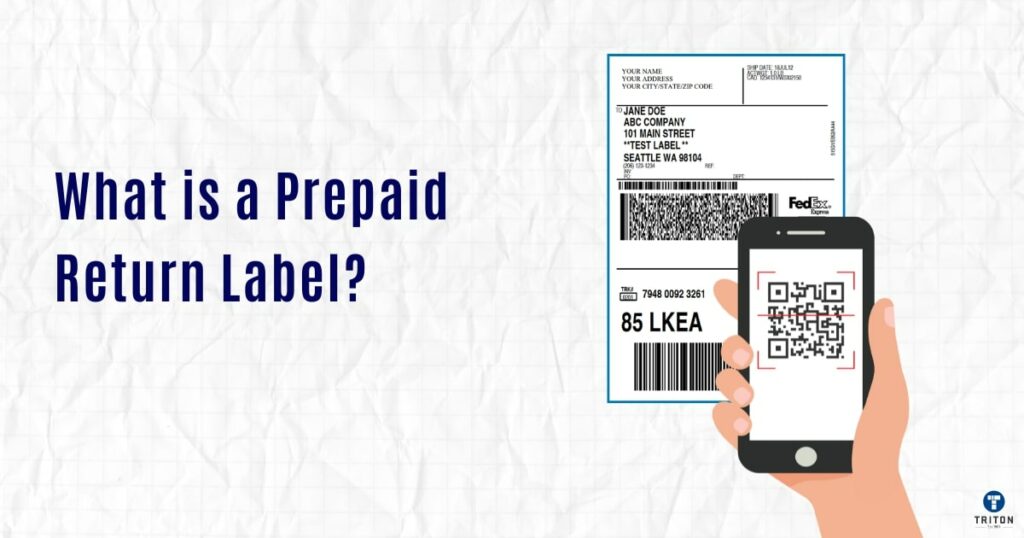
A prepaid return label is a shipping label that the merchant creates and pays for ahead of time, then gives to the customer for sending a product back. It’s already addressed to the merchant’s returns center, and the postage is covered, so the customer pays nothing to ship the item back.
For the customer, it takes three steps: stick the label on the box, drop it off at the carrier (or schedule a pickup), and you’re done. No accounts, no payment, no address lookup.
A prepaid return label looks like a regular shipping label. It includes:
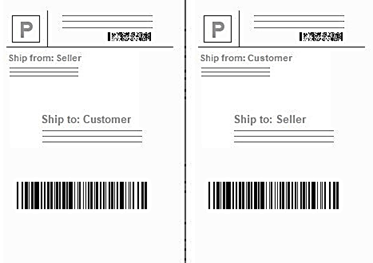
The main difference is direction. A normal label moves a package from the merchant to the customer. A return label moves it back the other way, so the merchant is the one receiving it.
One quick mix-up to clear up: a return address label is the small label on outbound mail that shows where to send a package if delivery fails. It only lists the sender’s name and address. A prepaid return shipping label is different. It’s a full, postage-paid label the customer uses to send an item back, and it counts as a brand-new shipment in the carrier’s system.
The process behind a prepaid return label is simple. Still, knowing each step helps merchants set it up the right way and helps customers know what to expect. . Here’s how it flows from start to finish:
Not all prepaid return labels work the same way. There are 3 main types with different billing rules, plus one growing contactless option.
Here are the three types of prepaid return labels:
| Feature | Prepaid (Pay-at-Creation) | Scan-Based (Pay-on-Use) | QR Code (Printer-Free) |
| When charged | At label creation | When the carrier scans the package | When the label is printed at drop-off |
| How it reaches the customer | PDF, download, or in the box | PDF, download, or in the box | Digital code by email or text |
| Need a printer? | Yes | Yes | No, staff print it on the spot |
| Unused label cost | May be charged (check auto-refund) | No charge if unused | No charge if unused |
| Fraud risk | Higher (label in hand early) | Higher (label in hand early) | Lower (label made at drop-off) |
| Best use case | Reactive (after approval) | Proactive (every shipment) | Printer-free, lower-fraud returns |
With a traditional prepaid return label, the merchant pays the full shipping cost the moment the label is created, whether or not the customer ever uses it. You buy the label upfront, just like an outbound shipping label.
This works best for merchants handling lots of confirmed returns, where labels go out only after a return is approved. Since the return is already approved before the label exists, there’s little risk of waste.
The downside shows up when a customer changes their mind after getting a label, or when a label goes in every box automatically. Those unused labels become money down the drain. USPS prepaid labels that never get used are usually auto-refunded after about 28 days.
A scan-based return label, also called a pay-on-use label, is created ahead of time but not charged until a carrier scans it. The merchant makes the label, sends it to the customer or puts it in the box, and only pays if the customer actually uses it.
This works best for merchants who want to include a return label in every outbound shipment, or who create labels in advance during the RMA (Return Merchandise Authorization) process. Since you only pay for labels that get used, putting one in every box carries almost no financial risk.
The QR code return label is becoming popular, especially for customers without a printer. The merchant sends a digital code by email or text. The customer shows that code at a carrier store, post office, or drop-off point, and staff print the label right there.
This option is catching on for good reasons. It removes the printing barrier, it cuts down on fraud since the label only gets made at the drop-off point, and it gives customers a smoother experience. Major networks like UPS Access Point and FedEx Office drop-off locations already support QR-based returns.
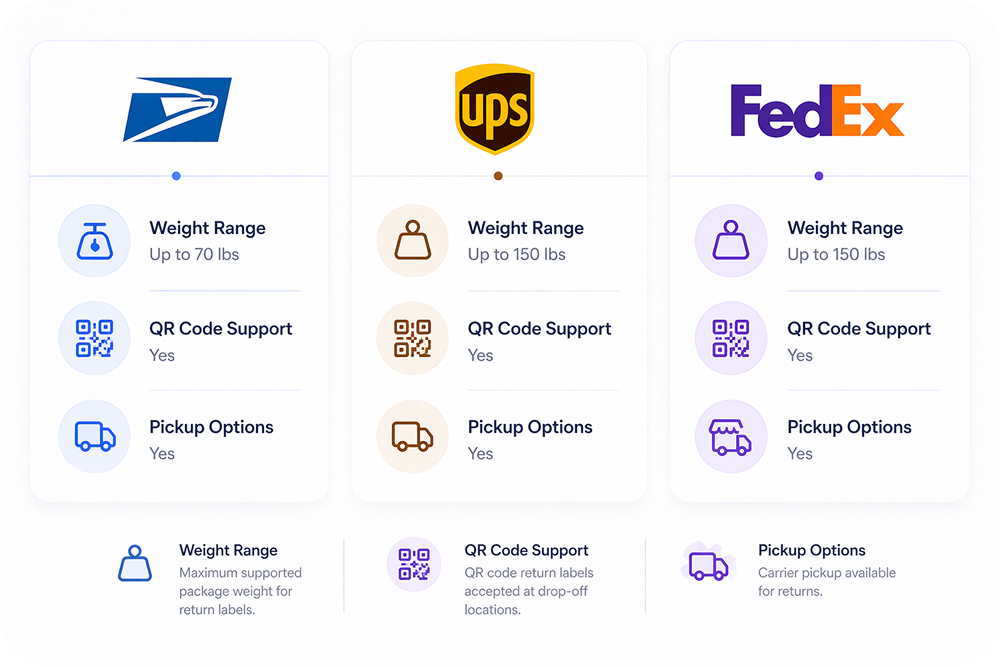
Making a prepaid return label is easy across the major carriers, and the steps are nearly the same everywhere. Log in to your carrier account, choose “Create Return Shipment,” enter the customer’s address as the sender and your warehouse as the recipient, pick a service level, then generate and send the label. The main differences are the label options and pricing.
USPS offers 2 programs: Merchandise Return Service (MRS) for high-volume merchants and Click-N-Ship for smaller sellers. Pay-on-use labels stay valid up to 365 days and only cost you when scanned. USPS Ground Advantage is usually the cheapest option for small domestic packages; official USPS pricing starts at $7.90 at the Post Office, with lower commercial rates online.
UPS gives you a few label types: Print Return Label (you print and mail it), Electronic Return Label (emailed to the customer), and Return Plus (carrier pickup). UPS Ground pricing varies by zone and account, but the official rate guides are the best reference for current 2026 pricing UPS Shipping Costs and Rates and 2026 Rate and Service Guide.
FedEx works through FedEx Ship Manager, with options for emailed PDF labels, hold-for-pickup, and print-and-include-in-box labels. FedEx Ground Home Delivery pricing also varies by zone and contract, so the most reliable reference is FedEx’s current rate documentation.
But here’s the problem: Most merchants don’t make labels straight from carrier websites. Instead, they use third-party apps. These apps help:
Picking the right label type solves one piece of the puzzle. But a bigger problem hides in your returns, and it costs you money every day.
Here’s what most merchants miss: a return isn’t always a loss. It only becomes one when you give a cash refund. If that same return turns into an exchange or store credit, you keep the money. The trouble is, most stores refund by default, just because their process doesn’t make swapping easy. So the cash walks out the door. In fact, a good returns flow can turn 30% of returns into exchanges instead.
There’s a second cost, too. Every time a customer emails “how do I send this back?”, someone on your team has to open Shopify, find the order, make a label, and reply. Do that a few hundred times a month, and returns turn into a full-time job. The right tools can cut that work in half.
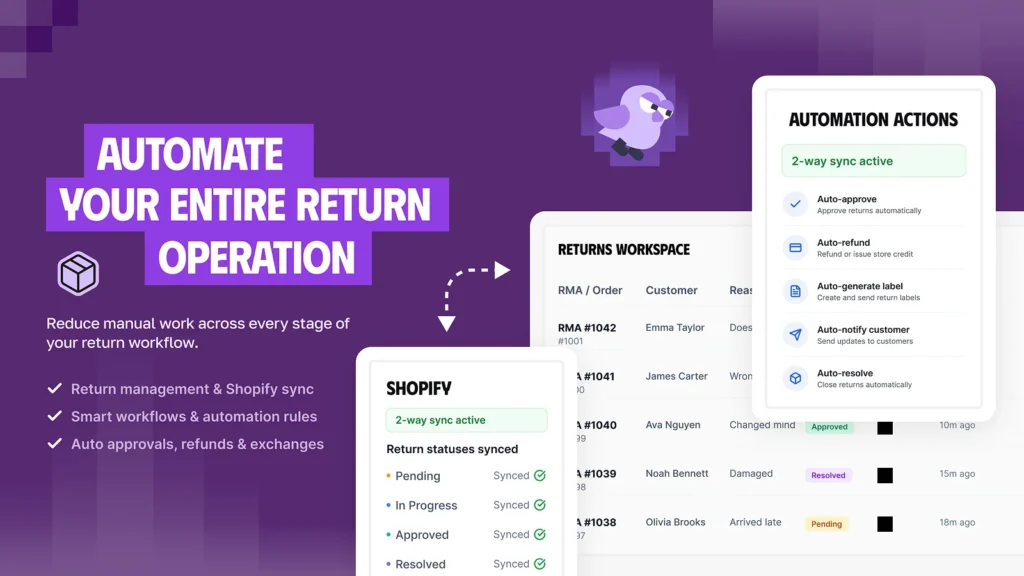
This is why many Shopify merchants let our app Synctrack Returns & Exchanges handle it. Customers start and track their own returns through a simple branded page, while the app runs the busywork in the background.
What makes it powerful is how much it does automatically. Instead of jumping straight to a refund, it offers customers an exchange, store credit, a gift card, or a discount code first, which is what keeps the money in your business. You can even add a bonus to store credit to nudge shoppers toward it. A smart rules engine approves eligible returns on its own and routes them based on the customer, product, or order, so your team only steps in for the tricky cases.
It also takes shipping off your plate. Synctrack creates return labels for you, connects with your carrier accounts, and tracks each return from request to refund. Every status update syncs straight to Shopify, so your orders and inventory stay current without any manual work.
A few more features worth knowing:
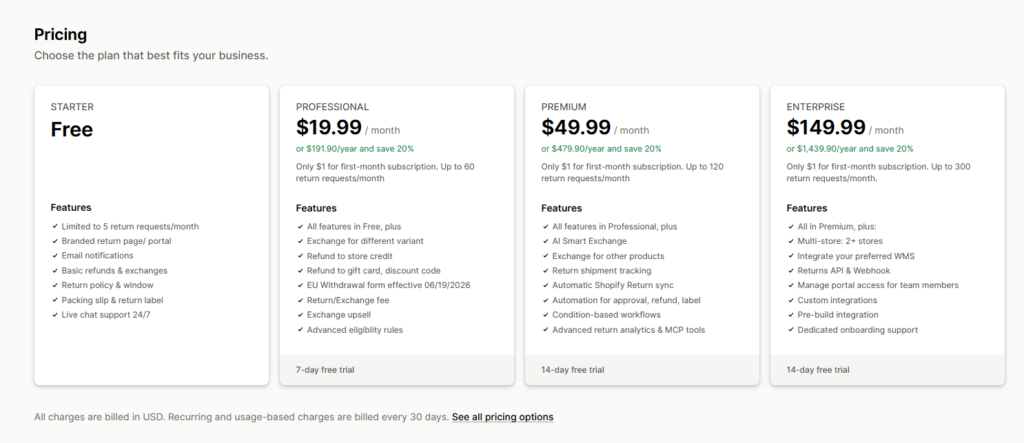
Pricing grows with your store. It starts free for up to 5 returns a month and moves up from there.
The point isn’t one app. It’s that a good returns setup does two things at once: it keeps money you’d otherwise refund away, and it saves your team hours of manual work.
Beyond which label type to use, merchants need to decide when and how to give customers a prepaid return label. There are two main strategies.

The label goes inside the box, next to the product. Every customer gets one, whether they need it or not.
This is the most convenient option for customers, with no waiting and no request needed. It signals that you stand behind your product and cuts down on return shipping questions. The trade-off is cost and waste: you create labels even for people who never return anything. It works best for high-value items like apparel, electronics, and luxury goods, especially when you use scan-based labels so unused ones cost nothing.
With this option, you only create a label when a customer asks for one through your portal or support team.
You pay nothing for customers who don’t return anything, and you get a checkpoint to review each request first. It also cuts down on return abuse and lets you collect return reasons before the label goes out. The downside is friction: customers take an extra step, which can slow the experience if your process isn’t self-serve. This fits stores with high return rates, where labeling every box would cost too much.
A hybrid approach is now common: put scan-based labels in the box (unused ones are free), but require an on-demand request with a quick reason for special returns. You get both convenience and useful data.
Offering prepaid return labels is a business decision, not just a nice gesture. And the numbers make a strong case.
Start with sales.
67% of shoppers check the return policy before they buy, and the biggest deal-breaker is whether they have to pay for return shipping. When you show prepaid labels right in your policy, you remove that worry at the exact moment someone decides to buy. It works: 62% of shoppers say they’re more likely to buy from a store that offers free return shipping.
The payoff continues after the sale, too.
Narvar’s study found that 96% of customers are likely to buy again from a brand that offers an easy or very easy return process. The opposite is just as true: 92% of shoppers say they’ll buy again after an easy return. So a smooth return doesn’t just make one customer happy. It brings them back.
That repeat business is where the real value shows up. Customers who return an item and then buy again often have much higher lifetime value than those who don’t. In other words, the return itself can become a moment that keeps people around. And because acquiring a new customer can cost 5 to 7 times more than retaining one you already have, a prepaid label is less of a cost than an investment in retention.
Still, that investment adds up, so it’s worth managing.
For example, a store handling 200 returns a month at $8 to $10 per label spends $1,600 to $2,000 on labels alone, before processing and restocking. Here’s how to keep that in check:
Merchants ask this a lot, and the answer depends on the label type and carrier:
| Label Type | Carrier | Validity Period |
| Prepaid (pay-at-creation) | USPS | About 28 days before auto-refund if unused |
| Scan-based (pay-on-use) | USPS | Up to 365 days from creation |
| Standard shipping label | UPS | No single universal expiry; UPS label validity varies by region and service, with 90 days commonly cited in the U.S. |
| Return label | FedEx | Varies by service; printed return labels are often valid for about 2 weeks, while email return labels can be longer |
If you offer extended return windows of 45, 60, or 90 days, USPS scan-based return labels are the best pick. Their 365-day validity covers even the most generous return policies with plenty of room. For pay-at-creation USPS labels, the 28-day auto-refund window means you shouldn’t issue labels too far ahead of when you expect them to be used.
Prepaid return labels aren’t the right call for every merchant in every case. This table shows when each approach makes sense.
| Scenario | Prepaid Label (Merchant Pays) | Customer-Paid Return |
| The item is defective or damaged | ✅ Required, it’s the merchant’s fault | ❌ Not appropriate |
| The wrong item was shipped | ✅ Required, it’s the merchant’s fault | ❌ Not appropriate |
| Change of mind (low-margin item) | ❌ May not be worth it | ✅ Reasonable |
| Change of mind (high-value customer) | ✅ A retention investment | ❌ Risk losing them |
| Loyalty or VIP member | ✅ A program benefit | ❌ Clashes with the value promise |
| High-risk, fraud-prone category | ⚠️ On-demand QR code preferred | ✅ Adds friction for fraudsters |
| Competitive category with free-return norms | ✅ Expected, helps conversion | ❌ Puts you at a disadvantage |
| Low-volume, thin-margin seller | ⚠️ Use selectively | ✅ Protects your costs |
A prepaid return label looks like just a barcode on sticky paper. In practice, it’s a signal of confidence, telling customers you trust your product enough to make returns easy. Used smartly, it drives higher conversion, stronger repeat sales, and better customer lifetime value. The key is being strategic: offer it where it counts, like defective items, exchanges, and your best customers, and pair it with automated returns software. Start building that easy return experience now, and you’ll own an edge competitors will struggle to catch.






